

When to use it
Use a regular field when one submission needs one value: a requester name, date, amount, file, choice, location, or selected record. Use a field repeater when the same individual value can occur several times but does not need its own group of related inputs. A useful example is several attachment reference numbers, several contact methods, or several short material names. Use a section repeater when each repeated item has several related values that must stay together. An inspection row may need a location, visit date, outcome, notes, and attachments; a materials row may need a material type, quantity, unit, and supporting file. Keeping those values in one repeated section makes the reviewer see the boundaries between inspection one and inspection two instead of trying to reconstruct them from independent lists. Do not make a field repeatable merely because a value might be long. Use Text area or Rich text for a longer single narrative. Do not use a repeater as an unbounded data-import channel, and do not put unrelated questions in a repeated section just to make the page shorter. A service owner should be able to state what one row represents, who may add it, and how many rows are reasonable. Choose a normal field instead of a calculated value when a person must provide or correct the value. Acalculated_value field is a derived display/value configuration: the builder forces it to be invisible, not required, not editable, and not repeatable. It is not an editable answer box. Use an entity calculated field when the result belongs on the entity record beyond a form session; see Calculated fields for that separate capability.
Configuration
Choose the smallest correct field type
The form builder provides the following runtime field types. Start with the type that matches the stored value and add a description when a person could interpret it in more than one way.Field-by-field builder views and service examples
The following real builder views show the control selected in the field-type picker. Use the stable key in the examples; the translated title is for people, while the key is what conditions and defaults read.Text
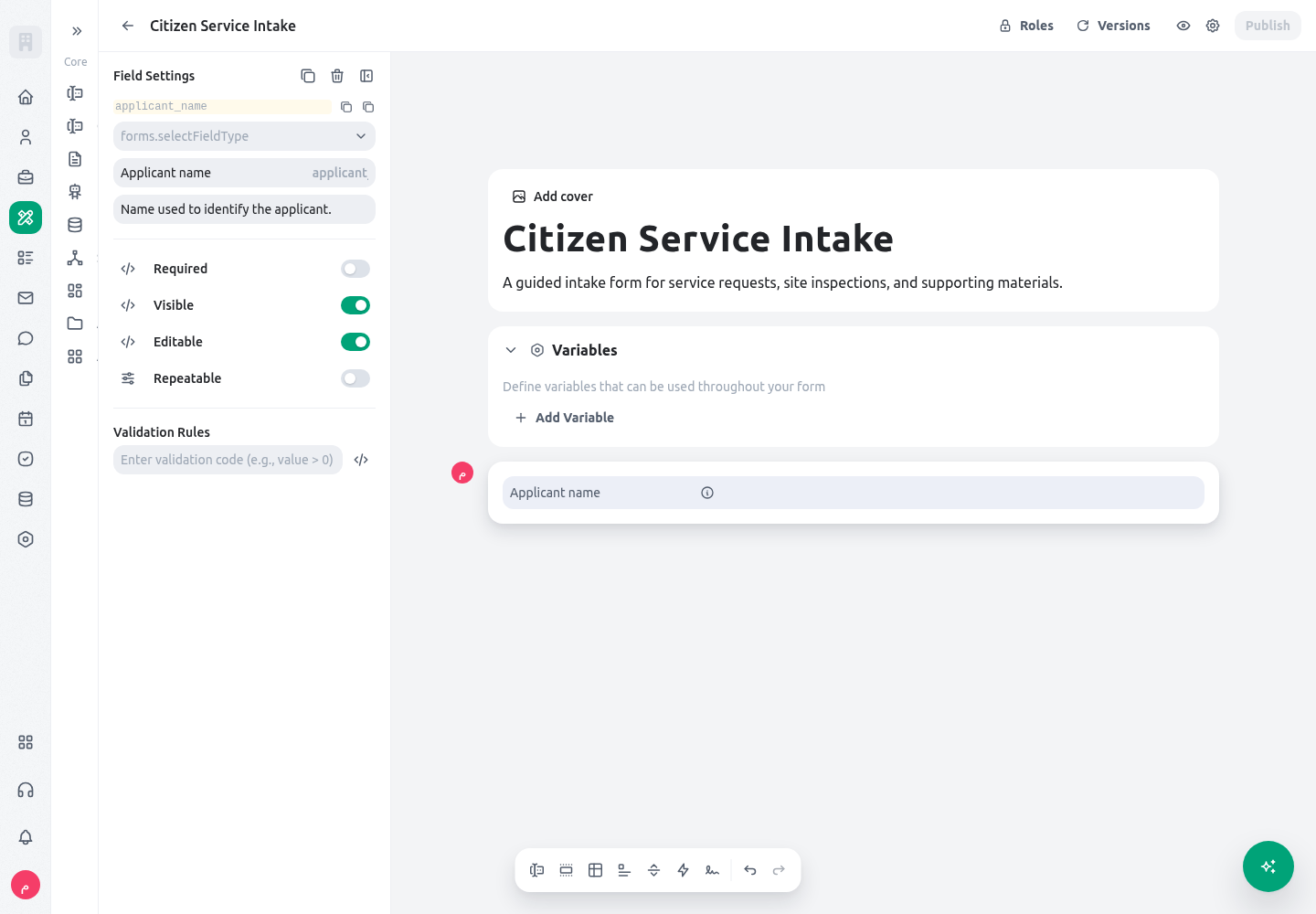
Useapplicant_name for one short name or reference that an applicant or staff member enters once. A validation rule can require a minimum meaningful length, but it should not attempt to infer an identity document number from a free-text name.
Number
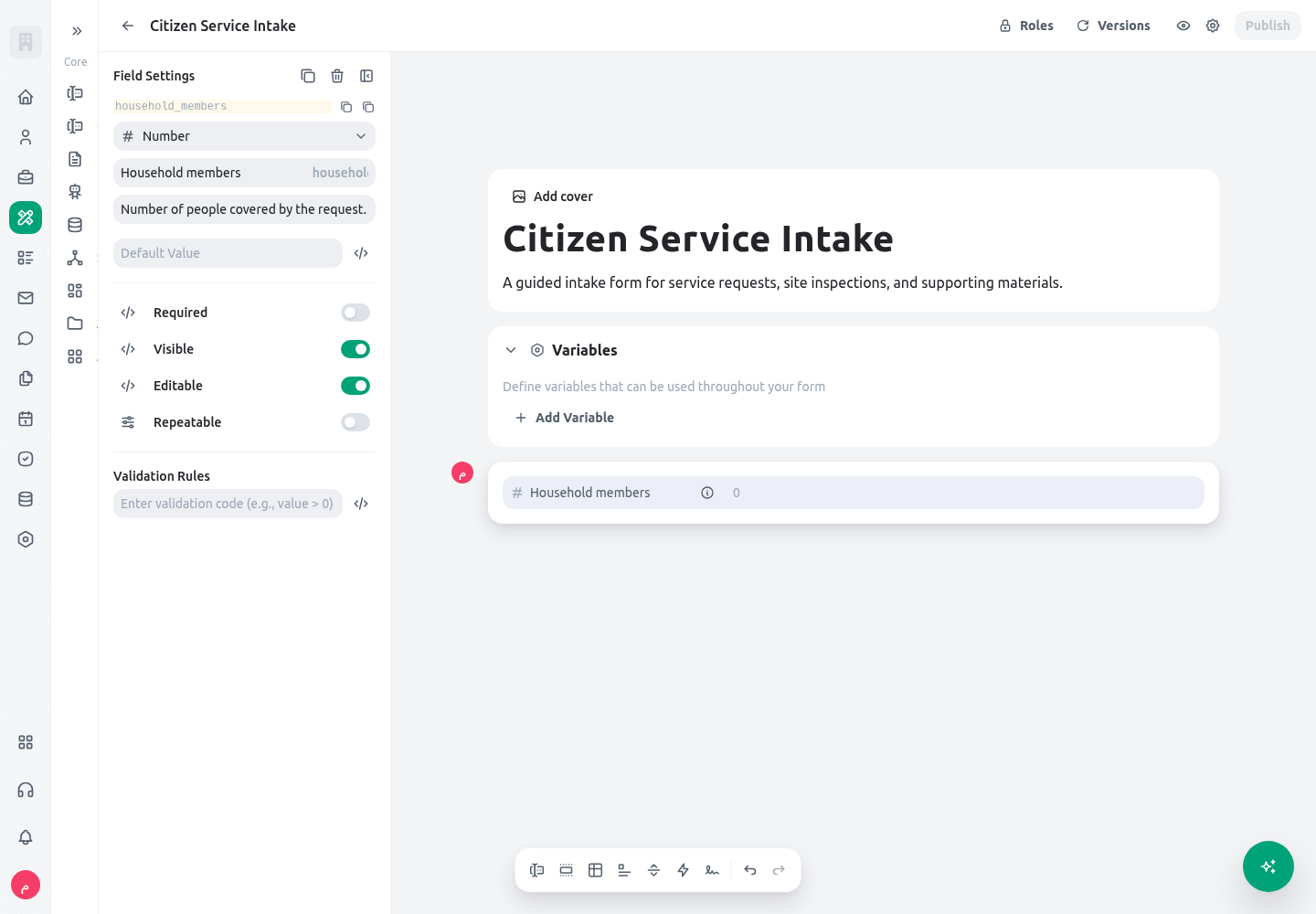
Usehousehold_members for a count with a defined unit. Configure a validation such as a positive whole number when the service cannot proceed with zero; use Money instead when the value represents currency.
Date
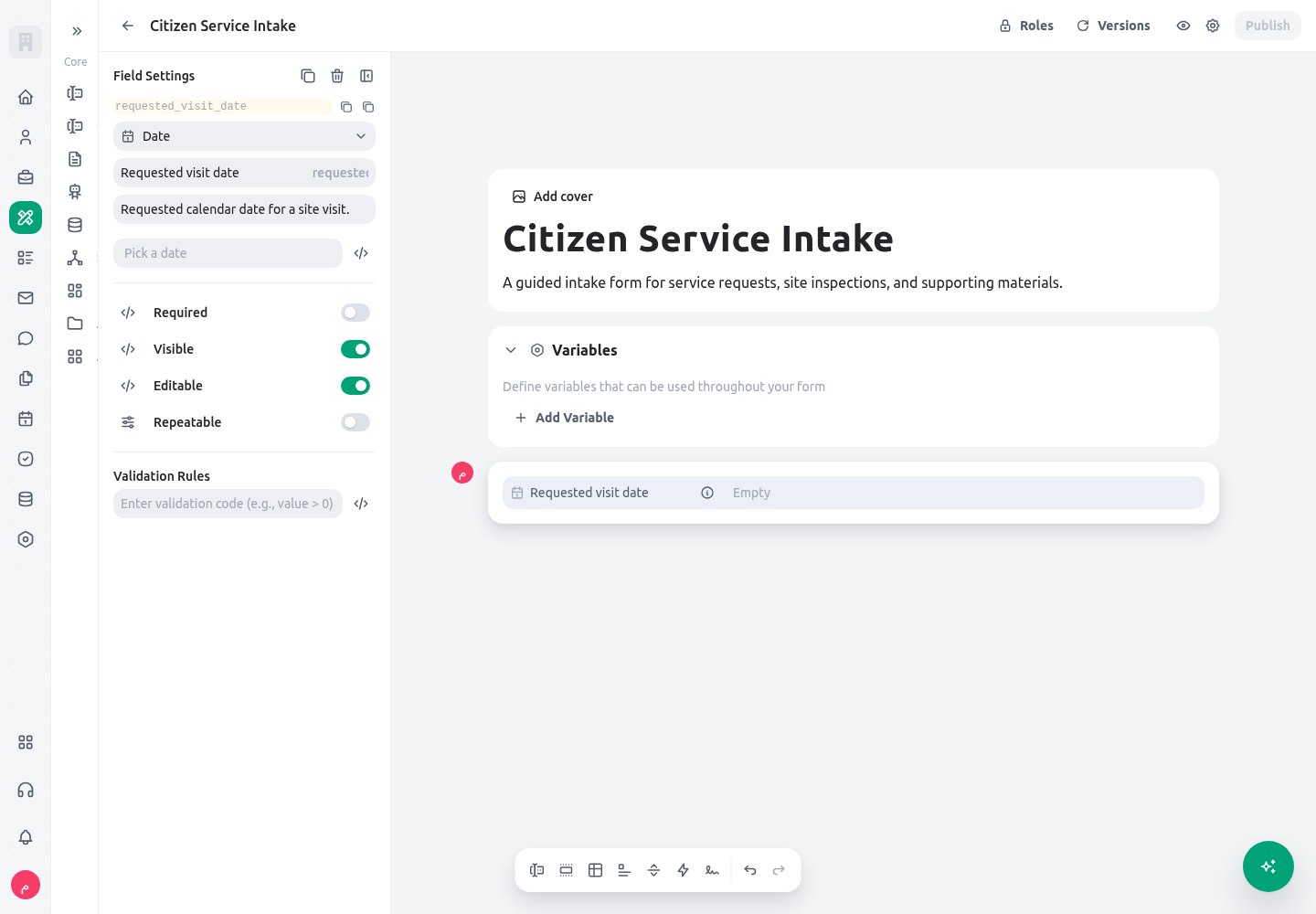
Userequested_visit_date when the request needs a day but not a specific hour. A later appointment can use a separate Date and time field so a reviewer can distinguish a requested day from a confirmed time.
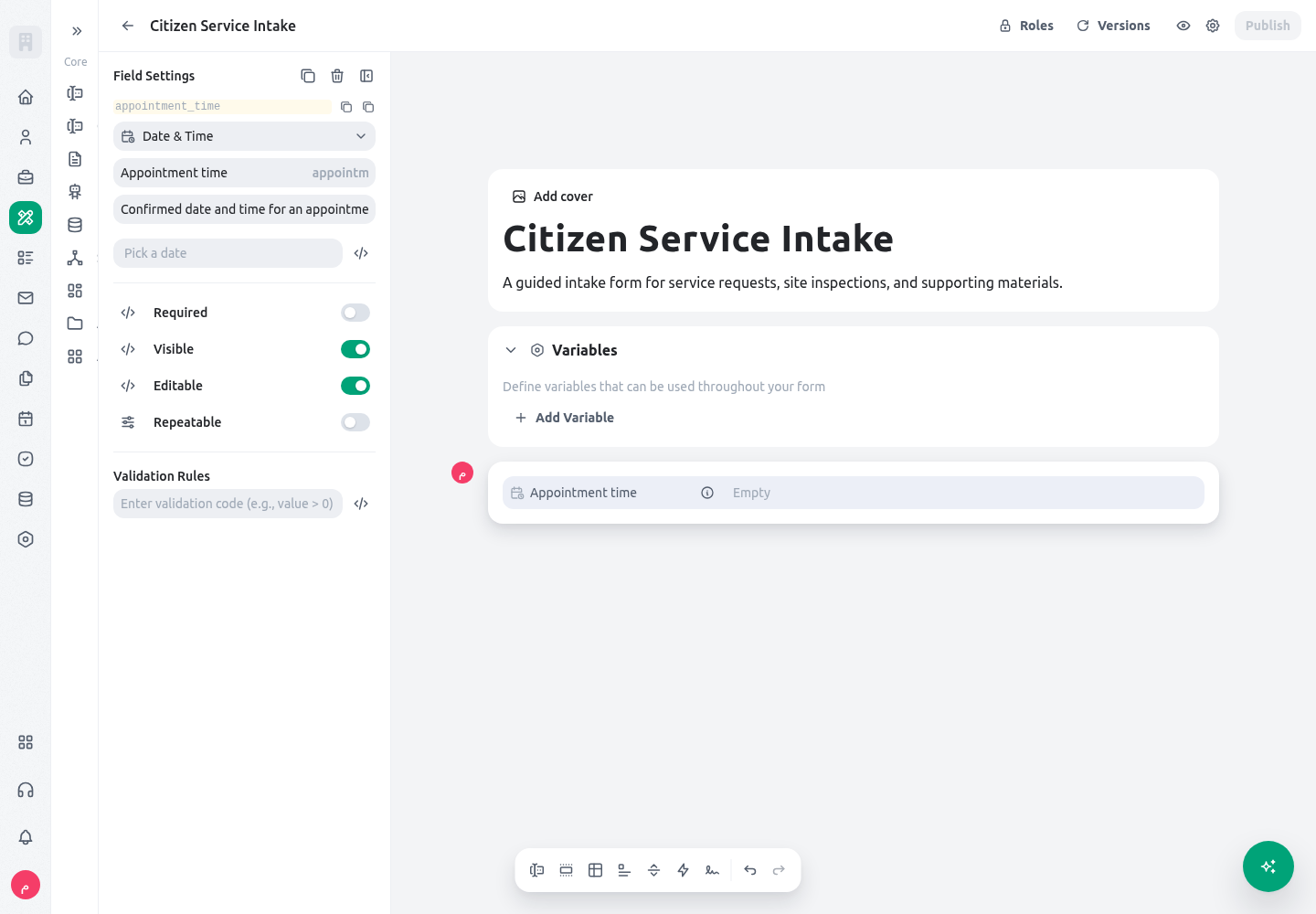
Date and time
Useappointment_time for a confirmed inspection or service appointment. State the office time zone in the description when a central team and local offices work in different locations.
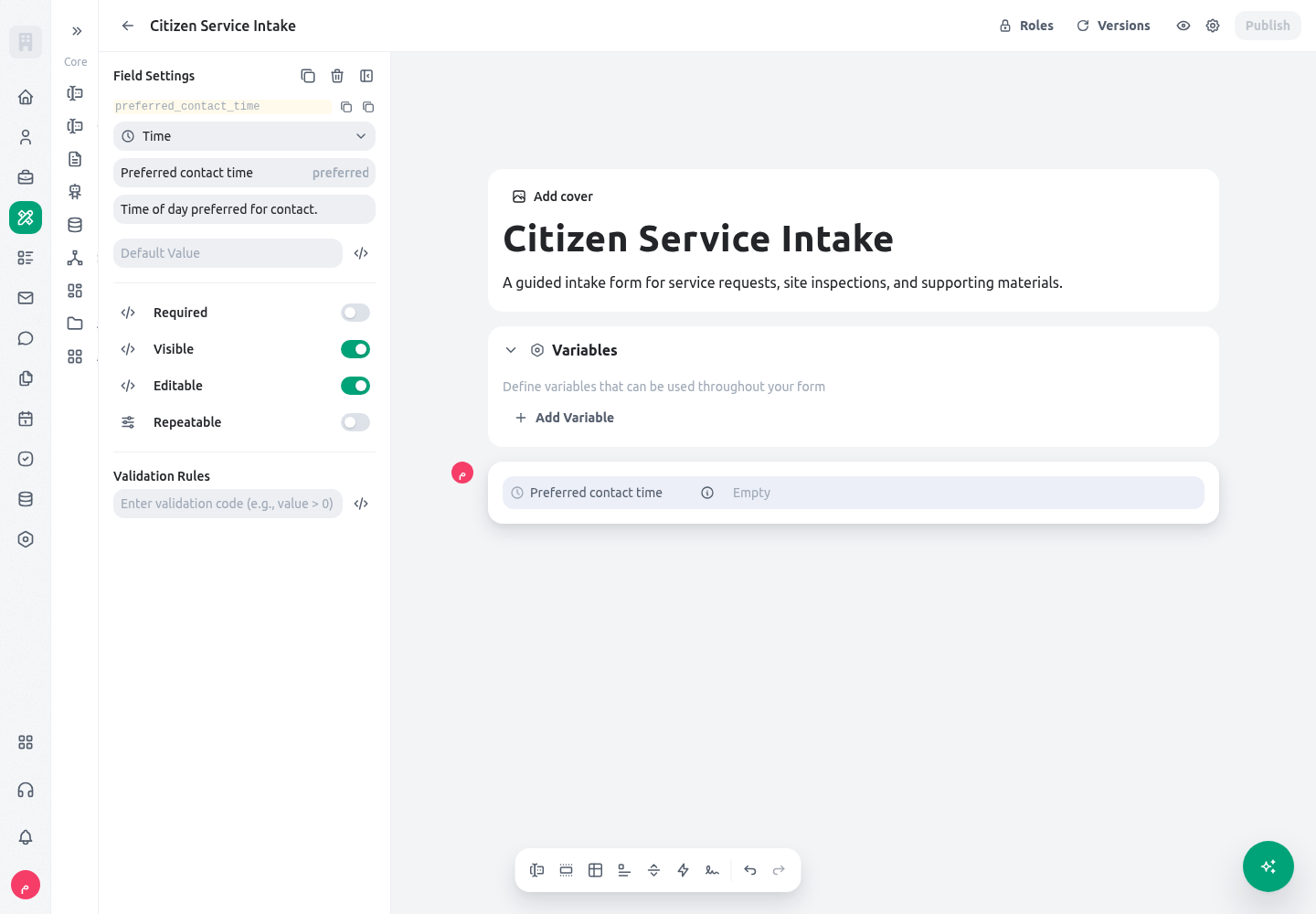
Time
Usepreferred_contact_time for a recurring time-of-day preference. Do not use it as the only input for an appointment, because it does not carry a calendar date.
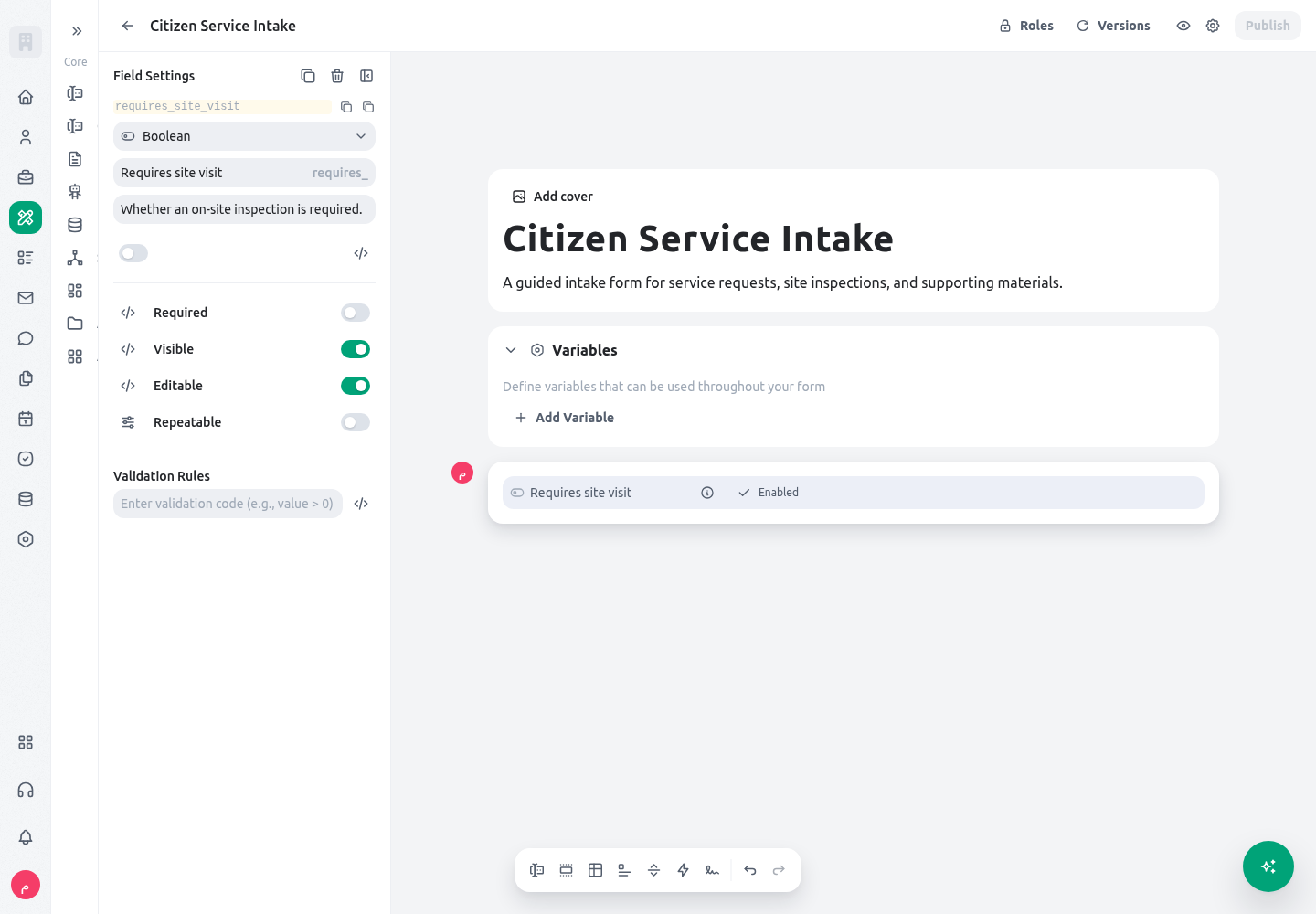
Boolean
Userequires_site_visit for a single, unambiguous decision. A dependent section can safely use $.requires_site_visit.value == true when the Boolean has a documented default and each path has been tested.
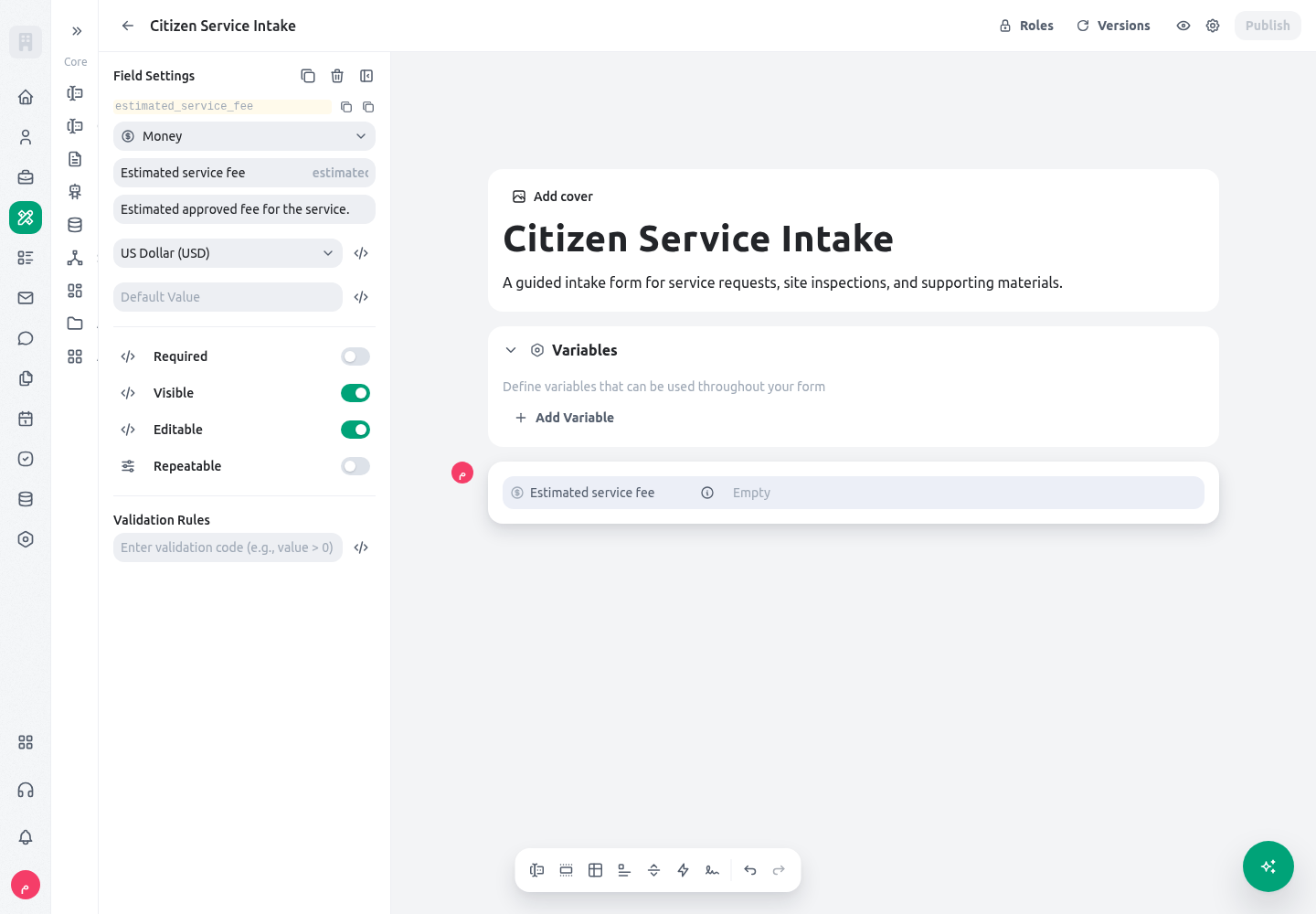
Money
Useestimated_service_fee for an amount that a person may enter or review. Keep the fee policy, approval authority, and currency decision in the service configuration and helper text rather than encoding them in a free-text answer.
Text area
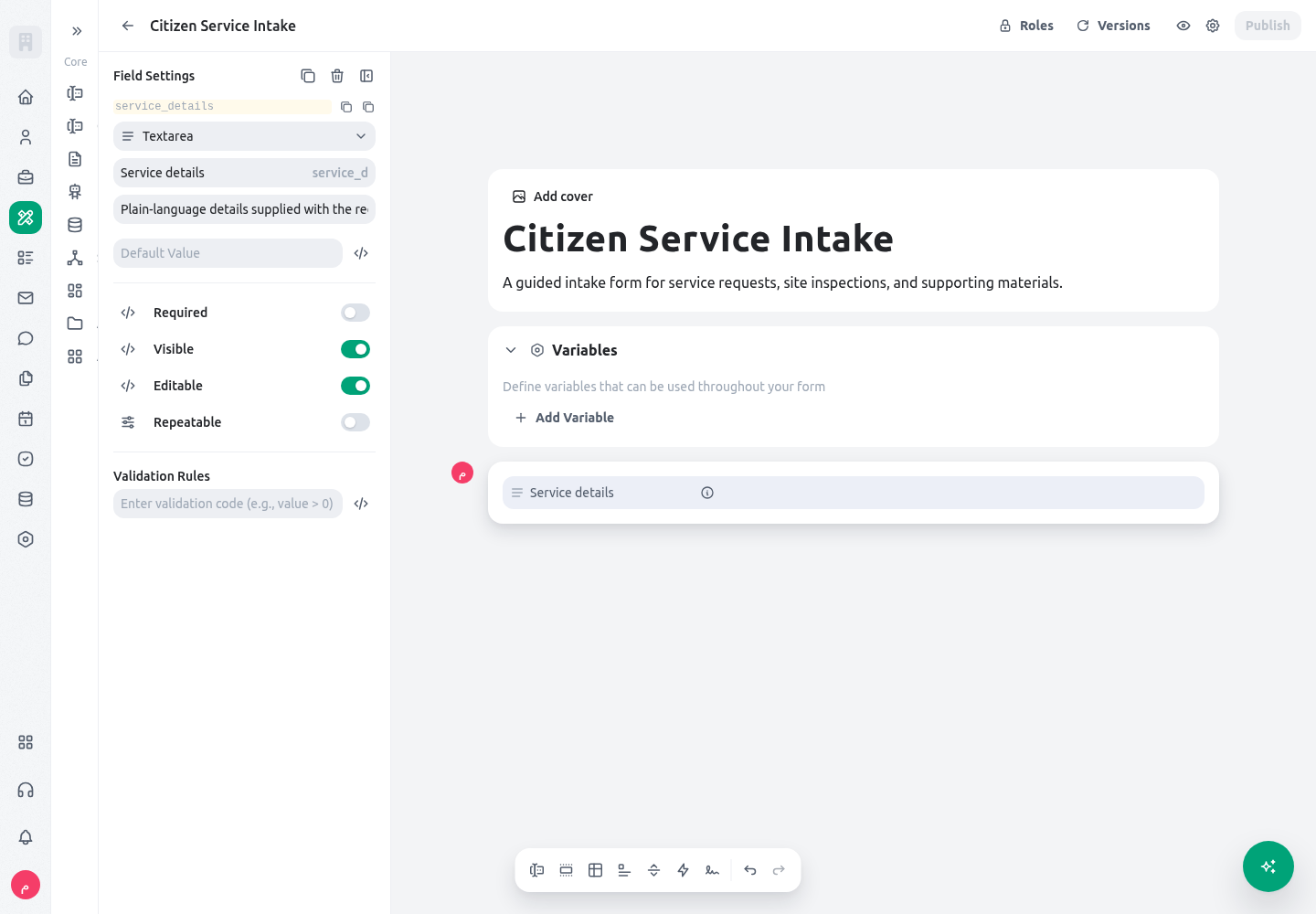
Useservice_details for a plain multi-line explanation in the applicant’s own words. Split operational facts—such as address, category, and requested date—into their own fields so they remain searchable and reviewable.
Rich text
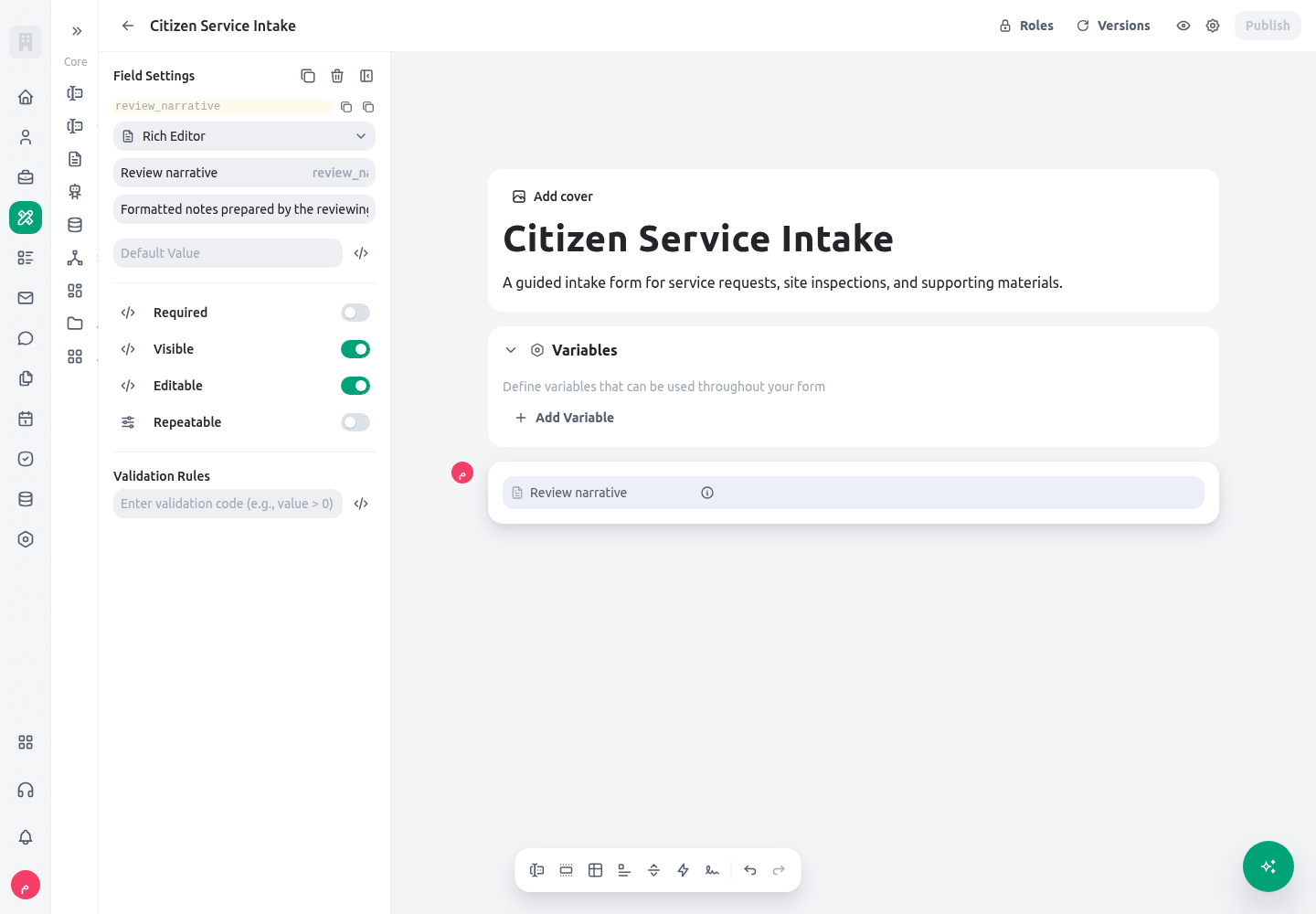
Usereview_narrative for a staff-authored narrative that genuinely needs headings or lists. Do not rely on formatting to represent a controlled decision, status, owner, or amount.
Single Select
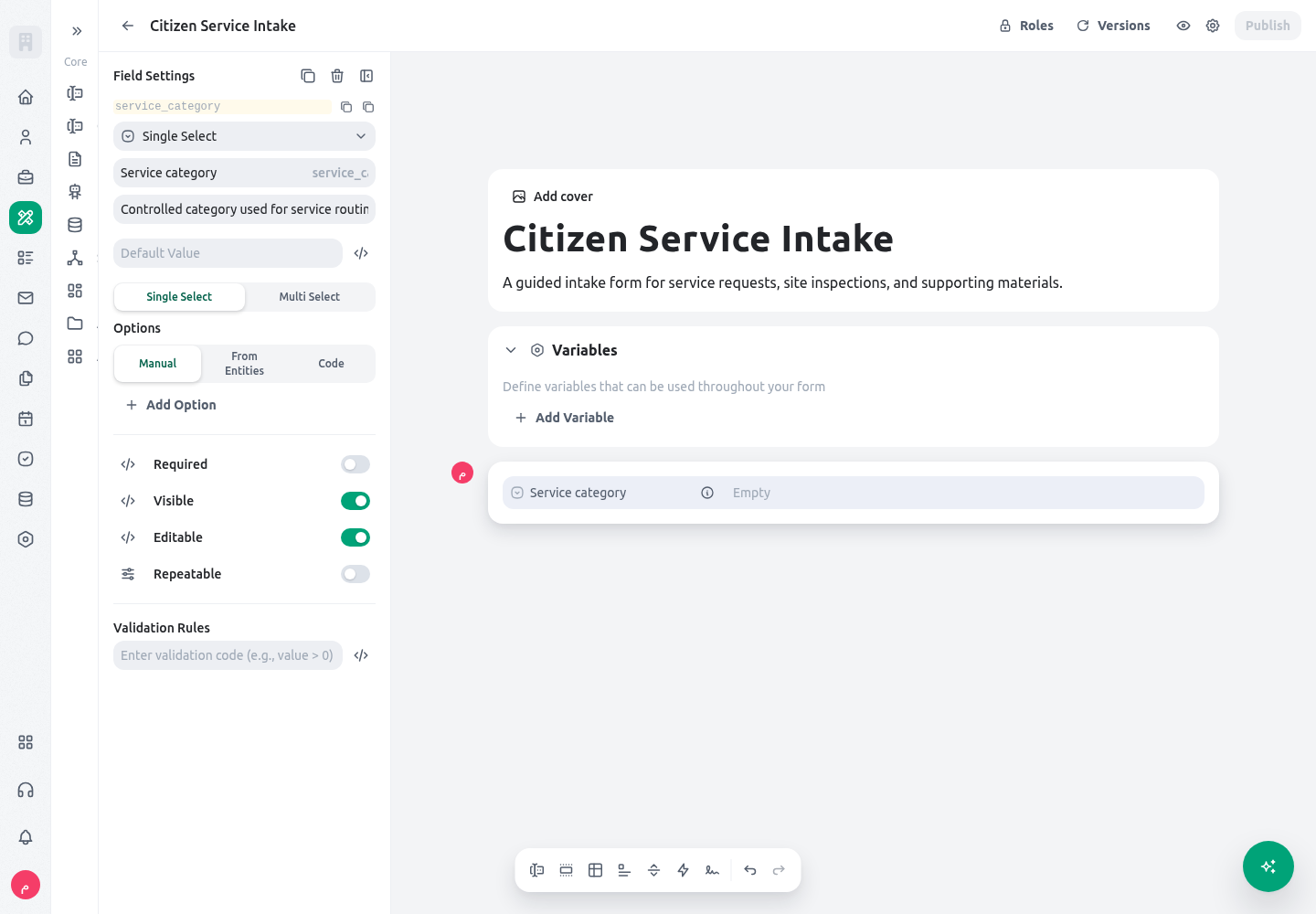
Useservice_category with stable option values such as civil_registration, municipal_service, and site_inspection. Conditions compare the stored value, for example $.service_category.value == "site_inspection", never a translated option label.
Entity Select
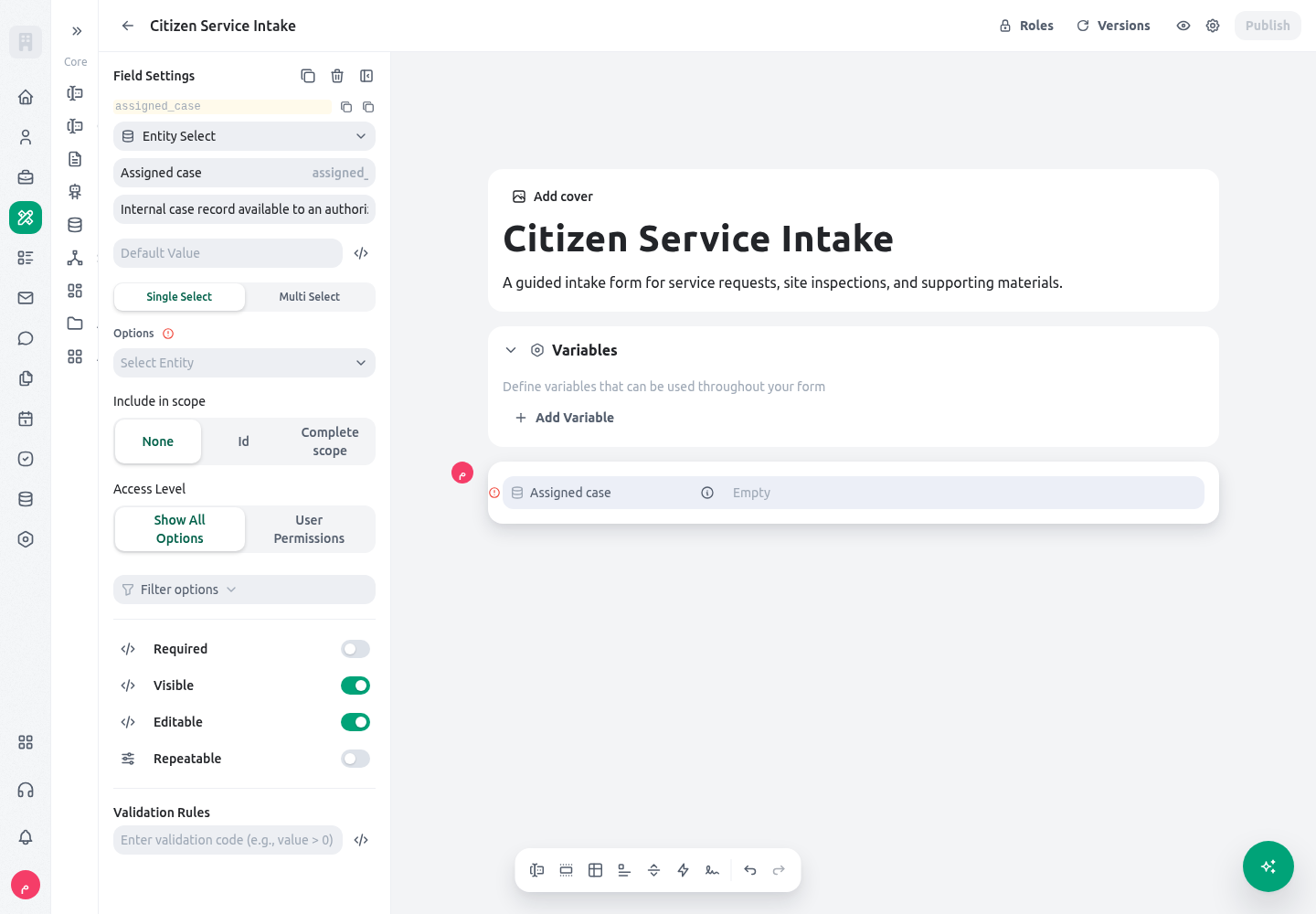
Useassigned_case only in a staff flow where the approved source entity and filter are known. Verify the selector’s organization-wide lookup behavior and avoid showing a browsable internal record picker in a public citizen form.
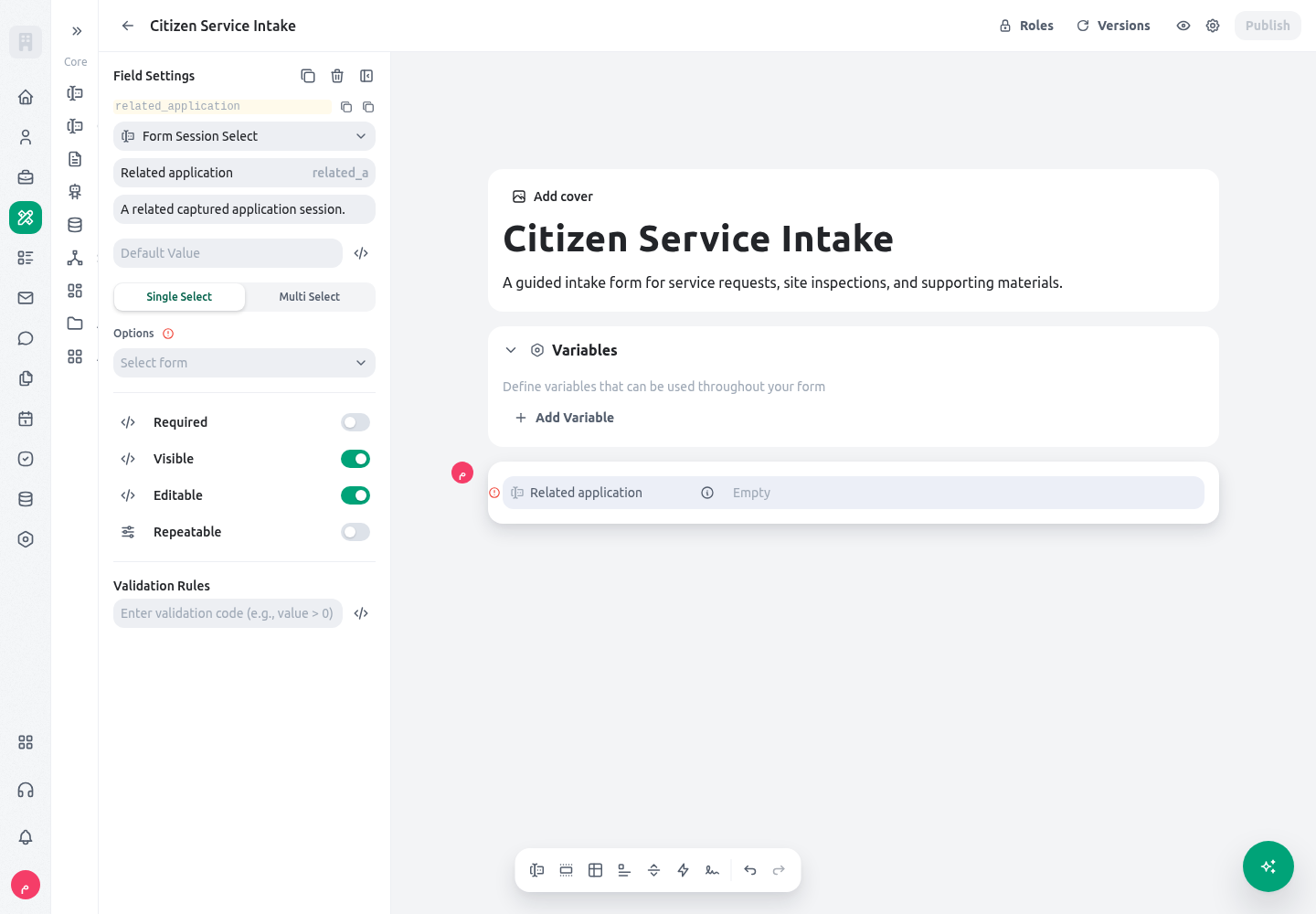
Form Session Select
Userelated_application when the reviewer must link this form to a previously captured form session. Restrict the source form and test no-result, search, and selected-session cases before publication.
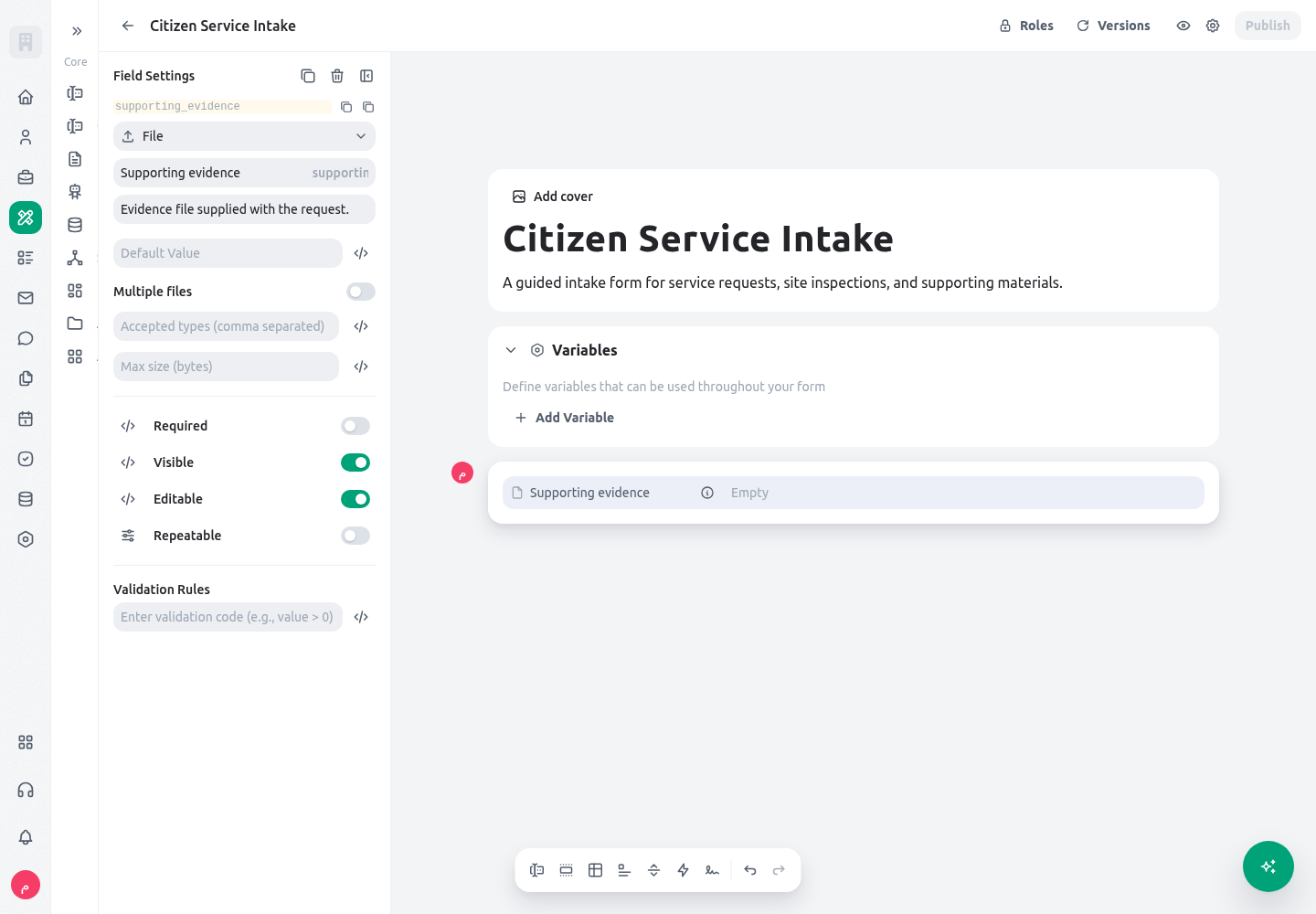
File
Usesupporting_evidence for a document or photo that follows one evidence rule. Turn on Multiple only when every file has the same purpose and policy; otherwise put the file and its metadata in a repeatable section.
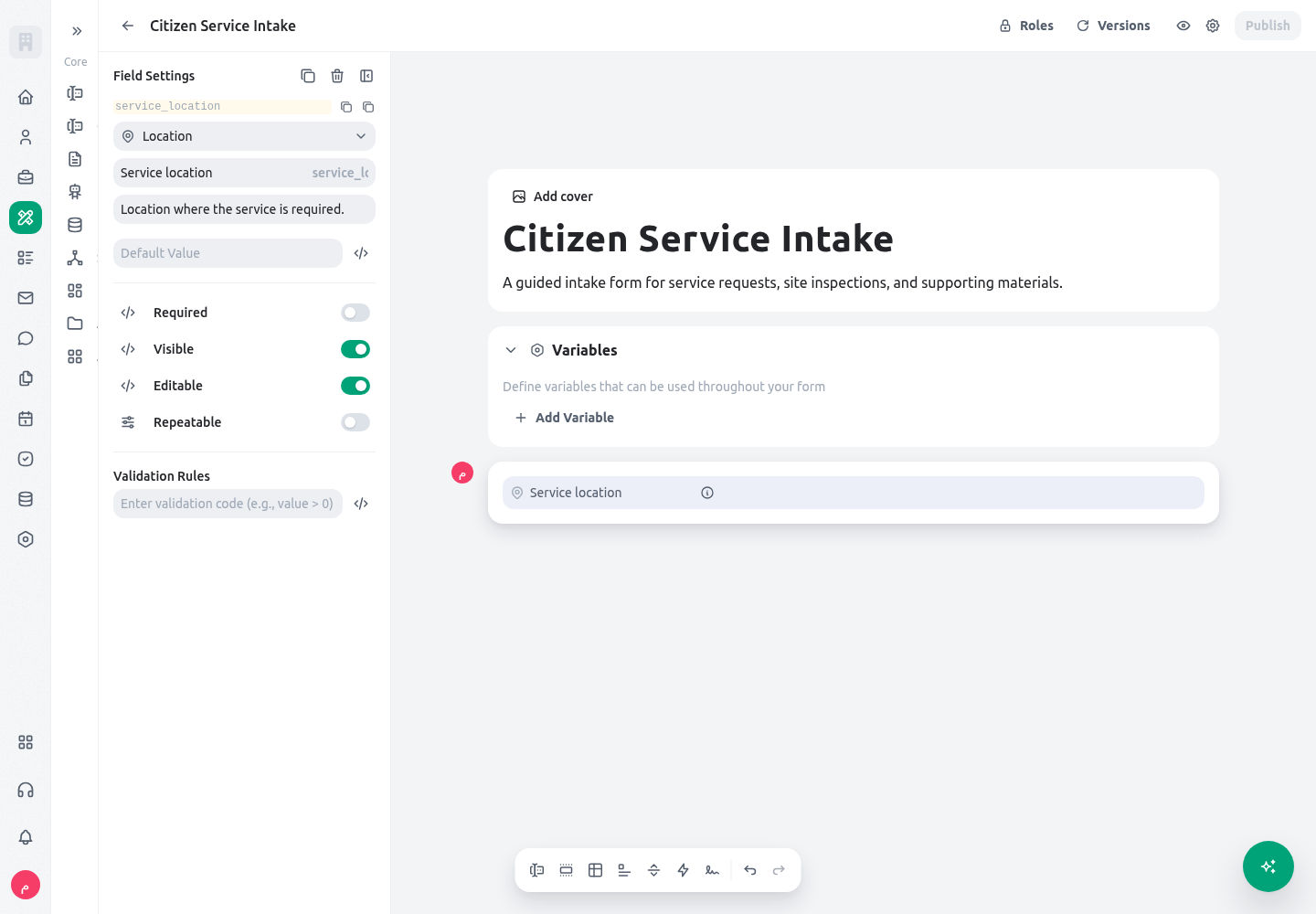
Location
Useservice_location when an address or map position affects delivery, routing, or inspection. Explain the precision the service needs and do not request coordinates where a neighborhood or office choice is sufficient.
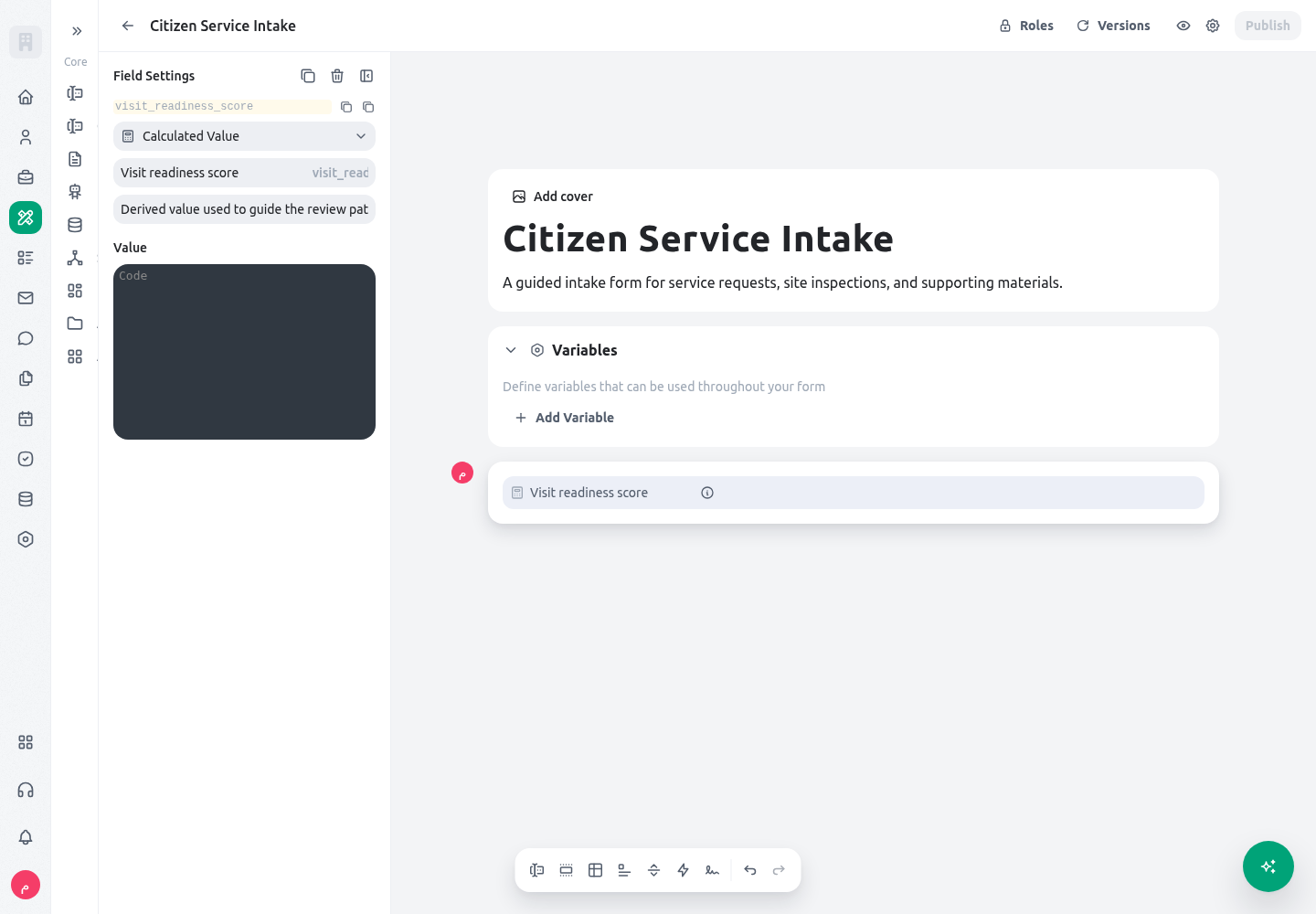
Calculated value
Usevisit_readiness_score for a value derived from the form, not entered by a person. It is intentionally invisible, not required, not editable, and not repeatable; use a short expression that can be tested with each input path.
 For most field types, the builder can store a default value and can evaluate the default as an expression. Text-like defaults are stored as text expressions; date and date-time defaults are represented as date values; Boolean starts with
 false unless configured otherwise. A default is a starting value, not evidence that the user has reviewed it. For an important confirmation, use a clear Boolean or action condition and test the resulting path.
Configure Select and File fields deliberately
A Select field has two independent decisions: selection mode and option source. Choose single when the service accepts one stored option value, for example one request category. Choose multi when the service accepts a set of stored option values, for example several service needs; the runtime saves that result as a string array. Test no selection, one selection, and several selections for a multi-select field. In particular, test every condition that consumes a multi-select value with the saved array shape rather than assuming it is one string. Choose an option source that can remain understandable after a label is translated or edited. Manual options have localized titles and stable stored values. Entity-backed options are available only when that capability is enabled and read controlled options from the selected entity field. Code options must resolve to an array; they can be strings or objects that supply a value and title. Whichever source you use, do not make a downstream condition depend on a display title. Record and test the stored values, especially before renaming, removing, or merging options. A File field also has a built-in Multiple switch. Use one multi-file field when every uploaded item has the same purpose, accepted types, size rule, and review treatment—for example, several pages of the same supporting evidence. Use a repeatable section when each attachment requires separate data such as document category, issue date, source, reviewer outcome, or a different validation rule. A multi-file field keeps a simple homogeneous upload simple; a repeater gives each item its own accountable row.Configure selector data access deliberately
An entity selector is a data lookup, not merely a convenient picker. The default entity-selector access level isall, so its options are read through the organization-wide system-level data path. Use user_permissions only when the form runs for an identified member and the service genuinely requires the selector to respect that member’s ordinary record access. Test the exact member, role, scope, no-result case, selected-value case, and search case. An entity filter can keep a list focused—for example, only open inspection cases for the current locality—but it does not turn a system-level lookup into a permission boundary.
The form-session selector is stricter from a design perspective: its option and selected-record lookups use the organization-wide system-level data path. It does not offer a participant-permission mode. Restrict its source form, keep any filter narrow, and use it only where the service owner has approved the visibility of every selectable session. Do not use either selector to expose choices in a public form, an unreviewed participant flow, or a sensitive-service flow merely because a filter produces a short list. Use a purpose-built public lookup or an approved server-side boundary when the user must see only records they are independently allowed to access.
For a citizen-service intake that needs staff to attach an internal inspection case, keep the selector out of the public intake version. Put it in the member-only review version, configure the smallest approved entity/filter, and test with a reviewer who has the intended scope. If the public form needs a citizen to quote a case, collect a controlled reference value and resolve it only through an approved service-side process; do not present a browsable record picker.
Each input also has four behavior decisions. They can be set as a simple switch or as a validated expression in the builder context:
The builder validates these expressions against its available context. Keep conditions narrow and name the dependent field in the label or helper text when it affects what a citizen sees. The following is an illustrative visibility condition: it shows the inspection section only when the actual form key
requires_site_visit is true.
multi_site, otherwise one. Verify the option value in the published form; do not copy a display label into the expression.
Build a repeatable field or section
Open the field or section settings and enable repeatability. Give the repeater a clear title, then choose one of the three modes below. Count, minimum, maximum, and loop items can use a literal value or an expression that resolves in the repeater context. Initial count must be a literal numeric value: the current runtime converts it withNumber(...) rather than evaluating an expression, so do not put JEXL in that setting. For user-controlled rows, set an explicit, service-owned maximum instead of relying on the missing-value fallback of 9999.
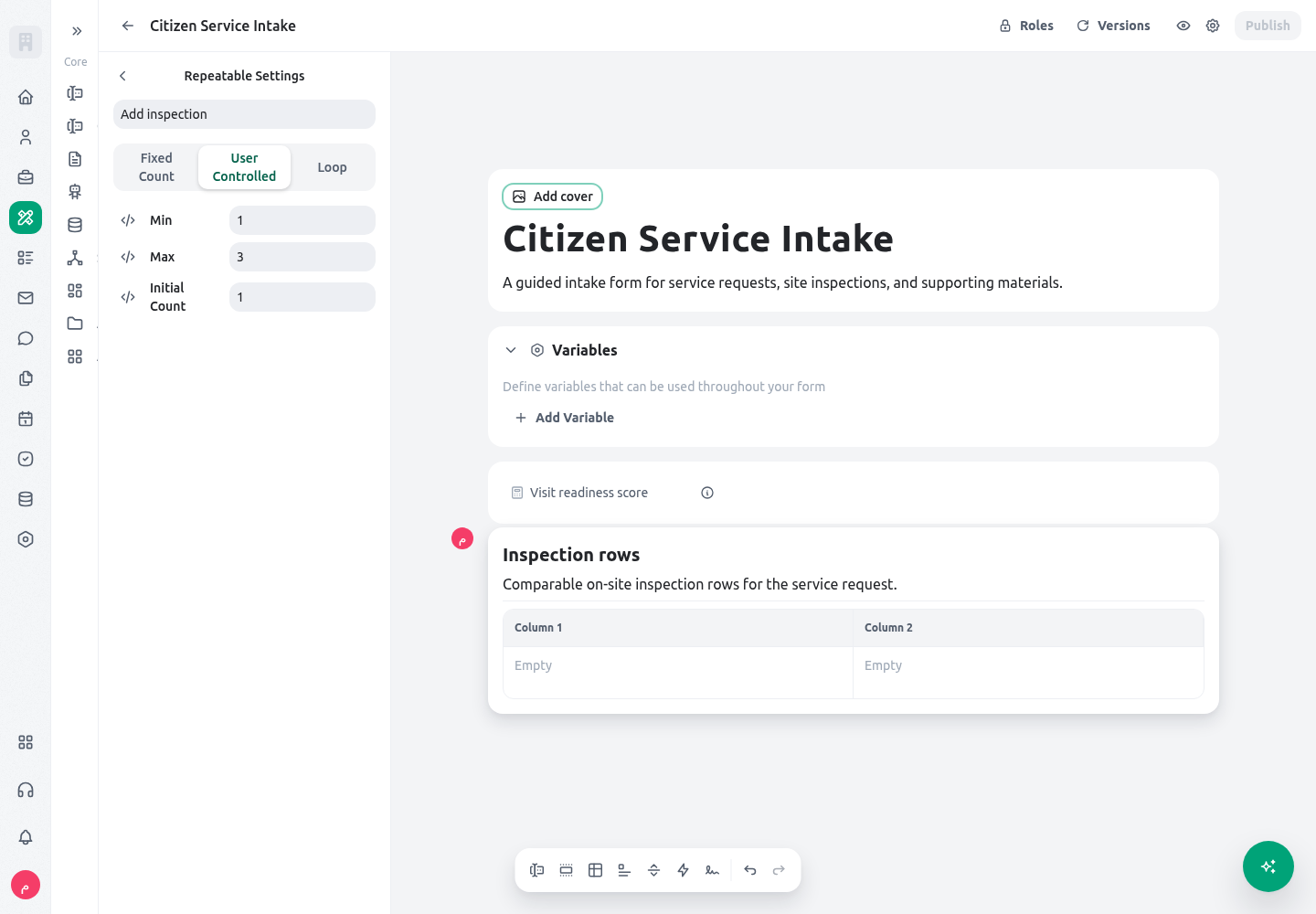
The builder exposes the row mode and its bounds in one place. This real table-section configuration shows the user-controlled setting for one to three inspection rows.
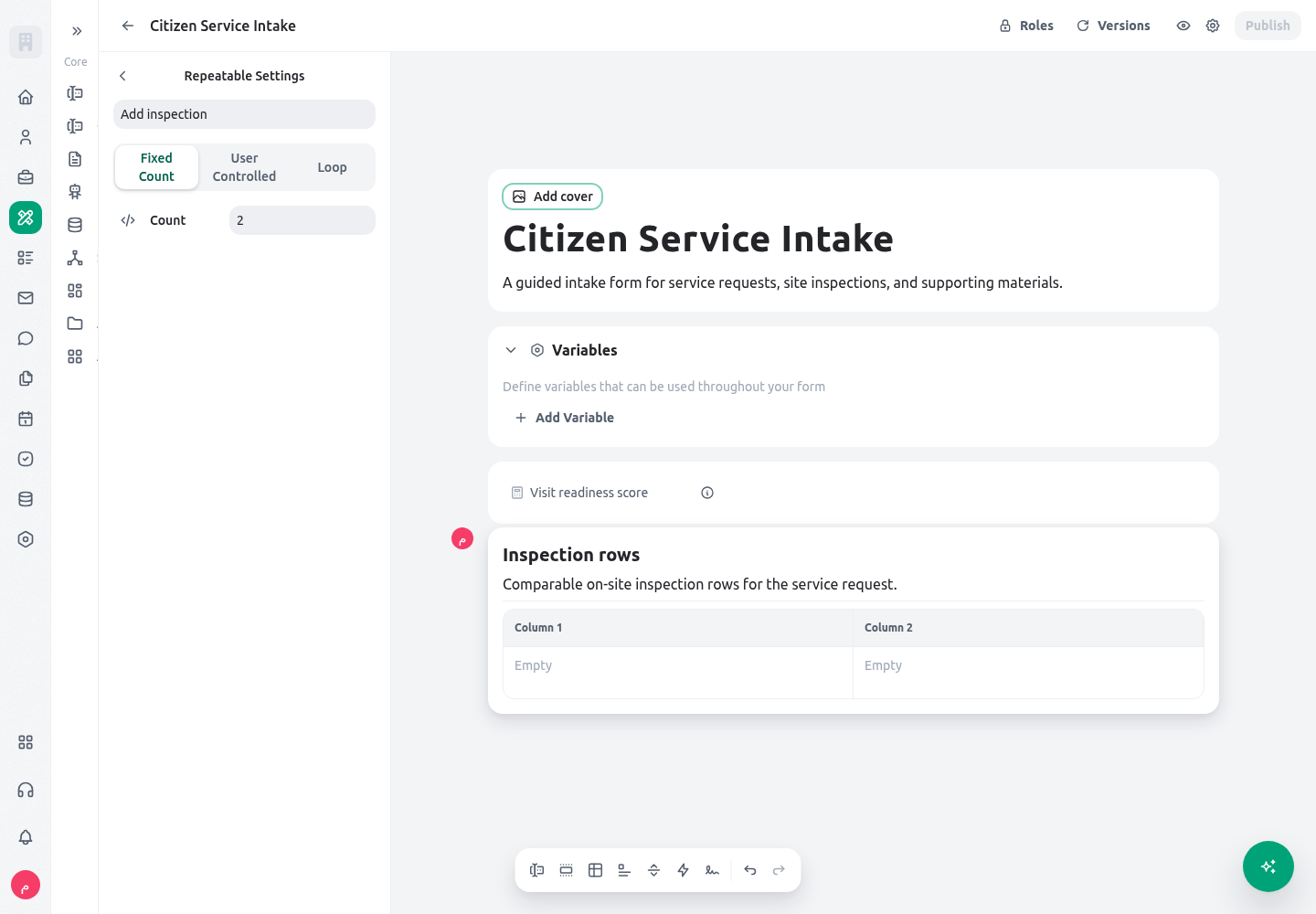
For a fixed set of rows, the same panel replaces the bounds with one count. This is appropriate for exactly two mandatory material checks, not for a variable number of inspections.
 Use a field repeater for a single repeated field. Use a section repeater when every row contains a group of fields, text blocks, or actions. The same repeat controls are available, but a section keeps its child values in each row. A field inside a table-layout section cannot remain an independent repeater; model the rows at the section level instead.
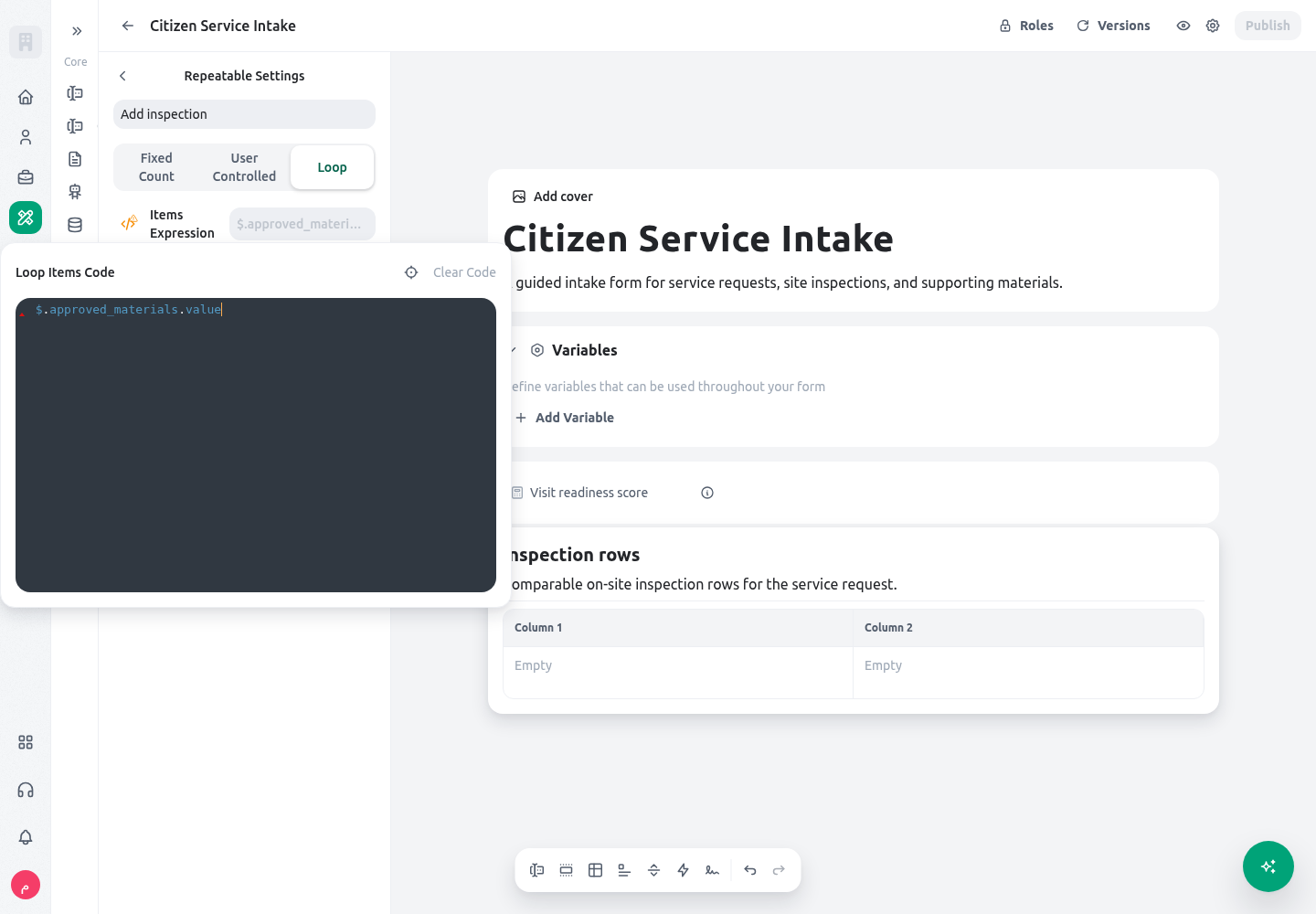
For loop mode, the loop-items expression must resolve to the array that drives the rows. The next example is illustrative: it assumes a prior field stores an array under
Use a field repeater for a single repeated field. Use a section repeater when every row contains a group of fields, text blocks, or actions. The same repeat controls are available, but a section keeps its child values in each row. A field inside a table-layout section cannot remain an independent repeater; model the rows at the section level instead.
For loop mode, the loop-items expression must resolve to the array that drives the rows. The next example is illustrative: it assumes a prior field stores an array under approved_materials. Each loop row is tied to an item in that array rather than being a manually chosen number of rows.
 At database-save time, repeaters are stored as an array of instance values. A saved field or section repeater also has a session-facing
 requestedRepeat count and an instances collection. For loop-driven rows, the runtime writes the source item under @loop_item on each persisted instance alongside that row’s values. Treat that source value as a trace of the item that created the row, not as a user-entered field to edit by hand.
Read, display, and export repeatable values
There are two related shapes to understand. While the form is running, a normal field is an exposed field object, so its answer is read through.value. A repeater is also exposed as an object: use its .instances collection, then use .value for a repeated field or .children.<field_key>.value for a child of a repeated section. The table layout changes presentation, not the saved value shape.
Use a field repeater named attachment_references when the submission needs several values of exactly the same kind. Read a known row by its zero-based index:
EVD-001, EVD-002.
inspection_rows when each row has related answers. Read a field in the first inspection as follows:
.value.
saved_state stores the business values as direct arrays and objects; it does not store the runtime-only .instances or .children wrappers. A field repeater saves a simple array, while a section/table repeater saves one object per row. A loop-driven row also retains its source item under @loop_item so a reviewer can trace how the row was created.
.instances, .children, and .value only inside the live form expression context. If a subsequent process needs a display-ready list, use the registered getByPath("path") transform deliberately rather than flattening the submitted data and losing row boundaries.
Table layout and nested rows
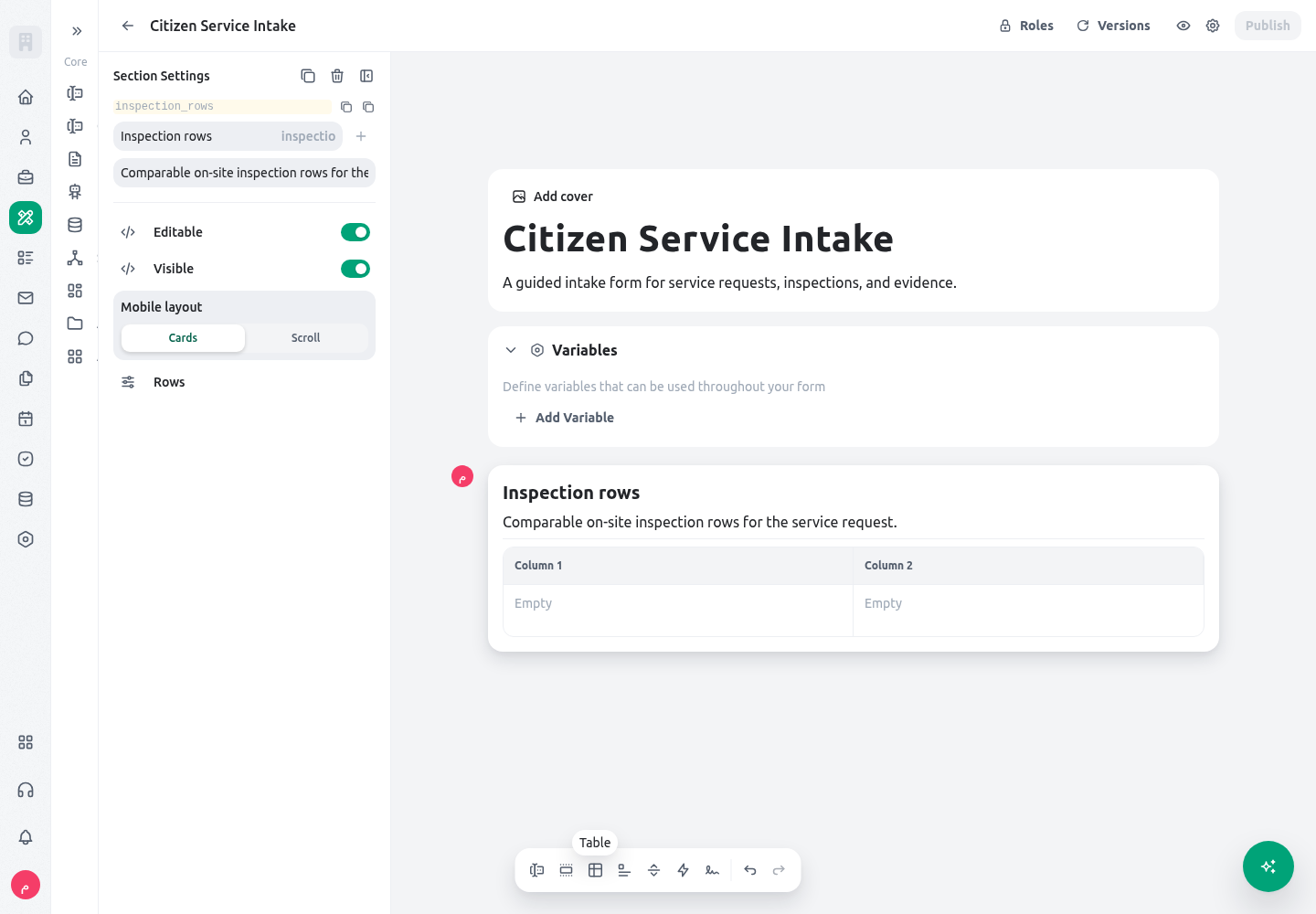
A repeatable section can usesection layout or table layout. Section layout gives every instance its own grouped block and is easier for longer narratives, files, or conditional content. Table layout presents configured child fields, actions, and text blocks as columns; it is better for compact, comparable rows such as material, quantity, unit, and verification result.
The table-section settings let the builder choose the mobile behavior next to the row configuration. Add only compact cells as columns; large evidence and narrative fields remain easier to review in a normal section layout.
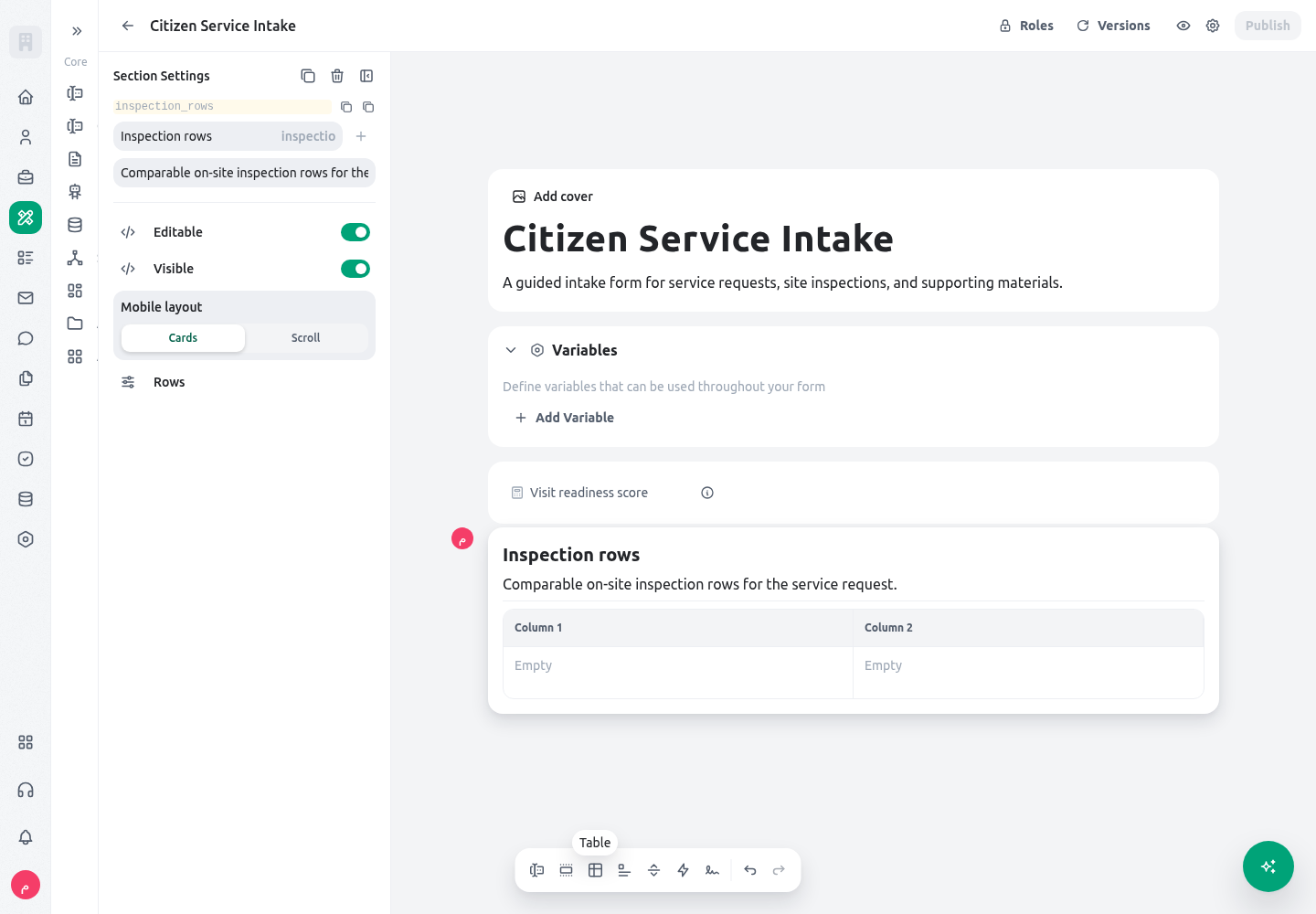 For a table section, choose the mobile behavior deliberately.
 hybrid is the default and presents table rows in a compact responsive-card style on small screens. scroll keeps the table form and lets the user scroll horizontally. Test both with representative titles and values. A table with long narratives, file details, or several conditional controls usually remains more understandable as a normal section.
Every submission table also provides Expand at its upper edge. Use it when several columns or longer values need more room: KayanOS opens the same live table in a large dialog with wider columns and horizontal scrolling, and Collapse returns to the form. Long Select values wrap inside table cells, while a single-line text cell retains its complete entered value even when the compact view cannot show it all at once. Expanding does not create another submission, unlock a read-only field, change row limits, or grant access; add, remove, edit, validation, and permission rules remain those of the current session. Prefer a normal section layout when expansion and scrolling still do not make the row easy to understand.
Nested repeaters are technically possible in form structure, but should be rare. Each outer row multiplies the number of controls and saved values below it, making mobile review, validation, and correction harder. Put an explicit maximum on every user-controlled level, keep the depth shallow, and use a related form or entity when the data has an independent lifecycle.
Worked example
A Syrian public-service directorate accepts requests for a local service. An intake officer records the service category, then records site inspections where needed. The service owner wants staff to compare inspection results quickly, while preserving exactly which notes and materials belong to each visit. Create these non-repeatable fields first:request_type (Select), requires_site_visit (Boolean), citizen_contact_reference (Text), and requested_service_date (Date). Use controlled Select values rather than free text for request_type, because later conditions rely on that value. Add an inspection_rows section with a clear title such as “Site inspections.” Its visibility condition is the first example in this guide. Put visit_date (Date), visit_location (Location), inspection_outcome (Select), inspection_notes (Text area), and evidence_file (File) inside the section. If every inspection file follows the same rule, enable Multiple on evidence_file; if staff must classify or assess each file separately, add a bounded repeatable evidence section with file metadata instead.
Choose userControlled for inspection_rows. Set a service-approved minimum of 1 only when a visit is always required, an initial count of 1 so the expected first row is visible, and a modest maximum such as 3 when policy permits no more than three recorded visits per request. The user may add the second or third visit only within that range. Do not use fixed count if the number of visits varies, and do not use loop mode if the officer must decide whether an additional visit is needed.
Create a second section called material_rows for material verification. If the service must always show the same two required material checks, use fixedCount with count 2. If the office receives an already-approved array of material requirements, use loop and point repeatable_loop_items to that array. For a loop row, explain in the row title that it is derived from the approved material list; the stored @loop_item makes the relationship reviewable after save.
Use table layout only for material_rows if its children are compact: material type, quantity, unit, and verification status. Select hybrid mobile behavior first and test on a narrow screen. Keep inspection_rows as a section layout because notes and evidence files need room and context.
Before publication, ask a reviewer to submit one request with one inspection and another with two. Review the saved session data by row: the first inspection’s date, location, result, notes, and file should remain together in instance zero; the second values should be in instance one. Then test the policy boundary by trying to add a fourth visit. A clear limit is safer than a form that appears to accept unlimited evidence.
Testing
Test in a non-production form with recognizable test values, not live citizen data. Record expected row counts and expected visibility before each test.
For an expression-based maximum, test the smallest and largest expected values and a missing input. The following illustrative expression assumes the form key
risk_level is a Select value. Replace it with the service’s real field key and option values.
Troubleshooting
Permissions and data-quality limits
Building, editing, and publishing a form require the appropriate application access. A user who fills out a form receives only the fields and actions the published form renders for that session; visibility does not grant access to unrelated entity records. Selector configuration is a separate data-access decision: the default entity-selector access level isall, while user_permissions must be selected and tested deliberately; form-session selector lookups use the organization-wide system-level data path. Filters and short option lists are not authorization. Do not use either selector to expose choices in a public form unless an explicit data-access review proves that every offered choice is appropriate for that participant.
Data quality comes from clear field types, narrow conditions, controlled option values, reviewed validation rules, and explicit repeater bounds. Do not depend on a hidden field as a secret store: visibility is a presentation condition, not a substitute for access control or a data-retention policy. Avoid putting national identifiers, contact data, or private evidence into an expression, option label, or repeater title. Collect only data the service needs, describe why an upload or location is required, and use an approved retention and review process for files.
When a repeatable section represents an accountable real-world unit, retain enough context to review it: the row title, date, responsible role where applicable, controlled outcome, and supporting evidence policy. A compact form is valuable, but it must still let a later reviewer understand who supplied each row and what it means.
Related guides
- Plan the full intake and publication sequence in Forms.
- Configure conditional actions, completion gates, and signature evidence in Form actions, logic, and signatures.
- Learn the expression syntax used by conditions and defaults in Expression language syntax.
- Review saved sessions and follow-up work in Form submissions.