

if, each, else, and include placement.
The renderer processes the main document plus Word headers, footers, footnotes, endnotes, and comments. Keep one reviewed source DOCX and test each location that contains a tag; a tag in a header has the same expression rules as a tag in the body, but its layout still needs visual review in the final document.
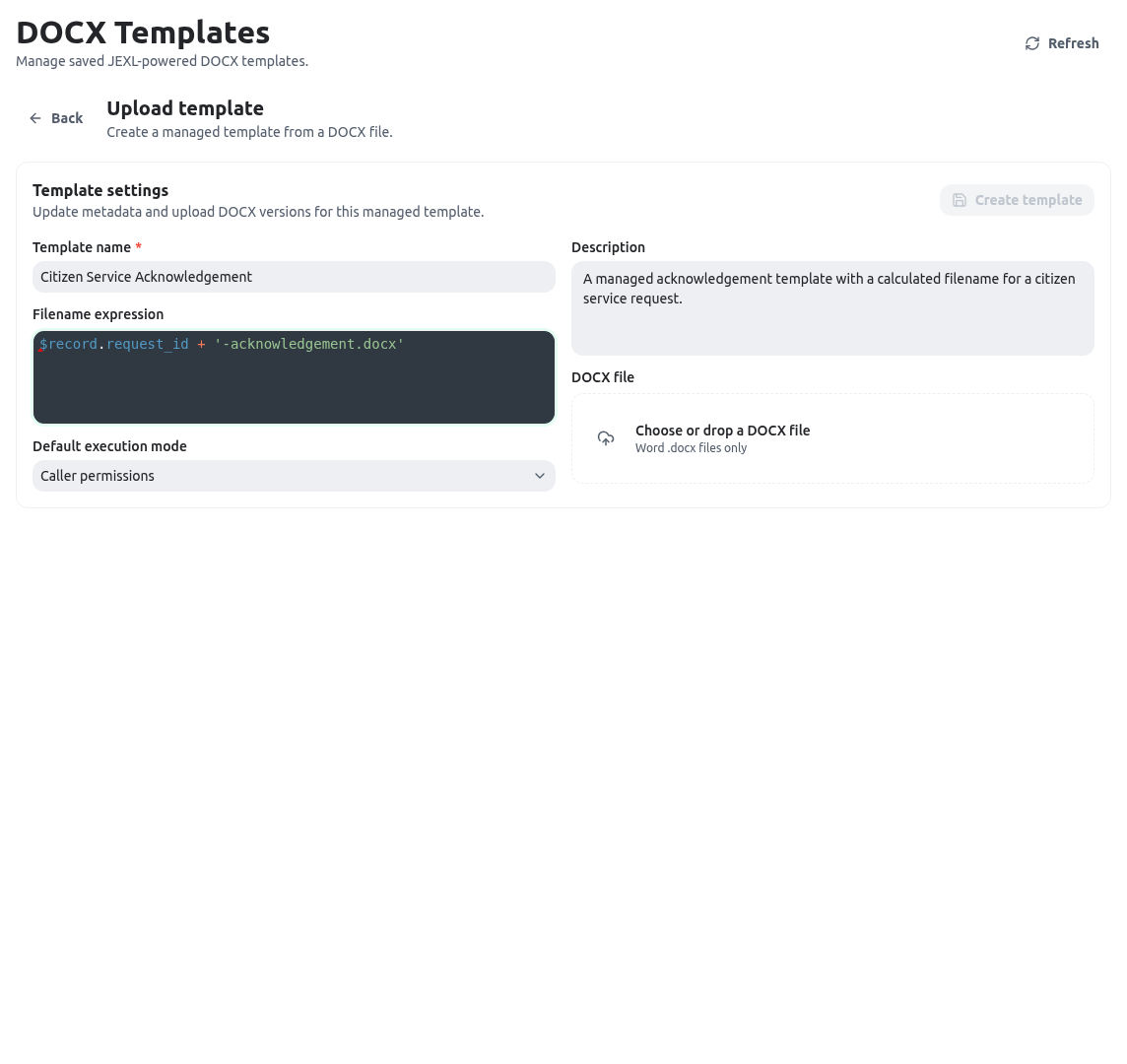
Author tags with the AI helper
The AI helper can propose the same supported tag surface described here, but it does not relax any renderer rule. Start it with Create with AI helper or Versions → Revise with AI helper, provide an authorized entity/sample or bounded manual JSON context, acknowledge the configured-provider disclosure, and give a narrowly scoped instruction. KayanOS sends normalized document text and authorized context—not the raw DOCX archive or XML—and preserves wording/layout unless the instruction explicitly authorizes a bounded rewrite. Human review remains mandatory. Inspect tag placement, the change summary, and the generated file. Resolvereviewable or ambiguous path mappings before approval; if PDF is unavailable, download DOCX and explicitly acknowledge DOCX-only review. The helper does not expand read or administration rights, change action bindings, or bypass the limits below. Its temporary draft expires after 24 inactive hours and no later than seven days after creation.
When to use it
Use tags when a document sentence, table, image, link, QR code, or repeated block must reflect stored data. Good examples are a request reference, resident name, list of supplied documents, public appointment URL, service-office logo, or a table of inspection visits. Keep policy decisions in the record and use a tag only to show the already approved result. Do not use a template tag to bypass an action, manufacture a serial reference, or query a broad population “just in case.” If a reviewer must decide the result, model that decision with controlled fields and render the selected result. If an expression becomes hard to read, store or calculate the approved source value first and render the simple key.Configuration
Word authoring rules
Write a tag with double braces:{{ expression }}. Inline text and inline tags can share one Word paragraph, for example Reference: {{ $record.request_reference }}. The renderer combines text spread across Word runs, so a simple expression can still resolve when Word split its characters during formatting. Even so, keep each tag visually simple: do not hide punctuation inside a styled run, and retype a tag rather than pasting invisible formatting if validation behaves unexpectedly.
Control tags are different. At render time, opening and closing if or each tags, else, and an include must be the only content of a complete Word paragraph or table row. This is how the renderer selects, removes, repeats, or imports whole Word nodes. Put a loop opening tag in its own paragraph or row, put the repeatable paragraph or row between it and the closing tag, and put the closing tag in its own paragraph or row. An include that contains any other text in that paragraph or row is rejected. Upload validation cannot certify this placement, so render a saved test record after each structural change.
Use this layout for a conditional paragraph:
Available context and inline expressions
An entity-record render context provides the following roots:
Any ordinary tag is evaluated as JEXL and converted to document text. A
null or undefined result becomes an empty string. Guard optional data so the document remains understandable:
if and each blocks. An if requires an expression, and an each must use the exact grammar {{#each expression as item}}. The renderer treats a non-array loop expression as an empty collection, so a misspelled key can silently produce no rows; test a populated record as well as an empty one.
Repeat paragraphs and table rows
Inside aneach block, the alias belongs to the current item. KayanOS also sets $index, which is zero-based, plus $first and $last Boolean values for that iteration. A loop repeats the complete Word paragraphs or table rows between its opening and closing controls. This makes it suitable for a notice with several required documents or a table with several inspections.
For a table, use separate rows for the controls:
$first or $last only for presentation, such as inserting a separator or a final instruction; they do not change record access.
Rich tags and includes
Rich tags are supported only with the exact command name and options. Options are whitespace-separatedkey=value tokens, so use simple values without spaces or prepare a short stored value first.
For a managed render, an image value can be an approved HTTPS public URL, a file-reference object containing
fileId, or a base64 data URL in the form data:image/png|jpeg|jpg|webp;base64,.... Supported raster content types are JPEG, JPG, PNG, and WebP, and image bytes are limited to 10 MiB. A missing non-optional image stops rendering. optional=true is appropriate only when an absent value may yield no image at all; it does not turn a broken URL, failed download, unsupported content type, invalid data URL, unreadable raster, or oversized image into a safe omission. Test the exact source used by the template.
Use approved public destinations for links and QR codes:
Look up records deliberately
ThegetRecords JEXL function accepts an object with a required entityKey and optional q, filters, limit, sorting, and search. Store the lookup object in the selected record context and use it in a structural loop:
getRecords call is clamped to a minimum of 1 and a maximum of 500 rows; the service records returned row counts in the render audit. Use a small limit and a deterministic filter. In caller mode, the query runs with the requesting member’s access. In admin mode, it runs as the system administrator; when the action config contains allowed entities, any other entity key is rejected. Do not represent the renderer type’s declared 5,000-row field as an enforced aggregate lookup limit: the source-backed managed-action guard is the 500-row cap per call.
Unsupported content and hard limits
KayanOS rejects raw XML insertion, including{{@rawXml ...}} or {{rawXml ...}}. It also reports @html and @chart tags as unsupported. Do not try to work around those limits by inserting XML, HTML, or script-like content into an expression; use normal DOCX content, a supported image, or a reviewed upstream value.
The renderer also enforces a 15-second render timeout, an 80 MiB rendered-output limit, the 10 MiB image limit, the 10,000 total-loop limit, 20 levels of structural nesting, and five levels of nested includes. These are safety boundaries, not performance targets. Design documents that are much smaller than each ceiling.
The upload check also protects the DOCX package itself. It rejects an unreadable ZIP, unsafe entry paths, more than 2,000 entries, more than 80 MiB of uncompressed content, or a compression ratio above 100:1. It rejects macro-enabled parts, OLE or embedded binary parts, XML DTD/entity declarations, and unsafe external relationships; ordinary http, https, and mailto hyperlinks are the allowed external relationship case. Start from a clean .docx source rather than attempting to strip macros or embedded objects after a rejection.
Worked example
A Syrian public-service office issues an acknowledgement for a resident-service request. The letter shows a serial request reference, lists required documents that were received, includes an optional office logo, links to a public status page, and starts a separate page for a standard next-steps clause. The template must not show an approval decision unless the controlled record status already says it is approved. The owner prepares$record.required_documents as an array of objects with name and status. In Word, they create a three-column table and place the each opening tag in one empty control row, the repeatable document row in the next row, and the close tag in a final control row. They add a conditional paragraph for a missing appointment and an inline status link. The document contains three meaningful test cases: no documents, one document, and several documents.
For a safe optional logo, the author uses:
Testing
Test tag behavior with real Word structures, not a plain-text copy of a template. Upload validation detects package issues and some malformed grammar; a render test detects structural-control placement, missing data, inaccessible lookups, unresolved assets, and layout problems.
When validation reports a problem, correct the Word source and upload a new template version. Do not hide a broken tag in white text, put a control marker in a table cell with other text, or rely on a viewer to ignore invalid content.
Troubleshooting
Permissions and data-quality limits
Tag authoring does not grant access. Managed-template administration is a separate Builder-level administrator capability: it controls template files, versions, action configs, validation, and test rendering. A document action’scaller or admin mode controls how its runtime lookups are executed. Keep these concerns distinct in review: a person may be allowed to use an approved caller-mode action without being allowed to upload a new template or switch an action to admin mode.
Use caller mode whenever the document should reflect only records the requesting member can read. An admin action requires explicit governance because it can query as the system administrator; constrain allowed entities, set narrow filters, review every requested field, and treat the rendered output as sensitive. The output may expose derived information even when a field is not shown directly, so apply the same disclosure review to counts, labels, link targets, and QR values.
Avoid secrets, authentication material, unreviewed identifiers, or sensitive internal notes in expressions, QR codes, URLs, alt text, filename rules, and lookup filters. The render audit is useful for diagnosis, but it is not a substitute for legal wording review, approval controls, or the organization’s retention rules.
Related guides
- Create and release the managed template in Document templates.
- Learn JEXL operators, conditions, and functions in Expression language syntax.
- Choose stable fields for document data in Entity fields and layouts.
- Generate traceable document references with Serial IDs.