

What a successful test proves
A successful test proves more than “the flow ran.” It proves that the intended event supplied the intended data, the condition made the right decision, the action affected only the approved target, and a reviewer can locate the result. Use an approved non-production workspace, an isolated record such asPERMIT_TEST_001, and non-production members. Never validate a new automation with real citizen data, a production role scope, or an external recipient.
Test protocol
1. Define the expected path before running
Write down the following before opening the test panel:
If you cannot describe the expected path, do not enable the automation yet.
2. Test the trigger in isolation
Use one source record. Cause the precise event: submit the intended form action, change the intended status, complete the intended task action, or call the intended dashboard/form interface. Inspect the resulting payload before mapping downstream fields. For a record event, KayanOS can expose values such asdata, oldData, changedFields, and action. Check that the event is the one you expected—not simply an update that happened to occur on the same record.
3. Test the condition both ways
Run one case that should continue and one that should stop. For an inspection-routing flow, the positive case might move a complete application toReady for inspection; the negative case might update a note or leave out the locality. The negative case must create no case, task, notification, document, or role change.
4. Add and verify one action at a time
Start with a read or lookup action. Then add one write, wait, response, document, or notification action and run the test again. After every run, locate the result in KayanOS rather than relying only on the automation output.5. Verify the complete audit trail
For a successful run, confirm all of the following:- The source record has the expected relationship or status.
- The created/updated target has the expected ID, values, and owner.
- No duplicate record, task, notification, or document exists.
- No unrelated record changed.
- The notification reached only the intended internal member or scope.
- A reviewer can trace the outcome from the source to the target and back.
6. Roll out in stages
Enable the smallest service scope first. Monitor the first approved live runs, compare them with the expected design, and keep a documented owner and disable path. Expand only after the service owner confirms that the hand-off is correct.Diagnose failures in the right order
Known input-validation patterns
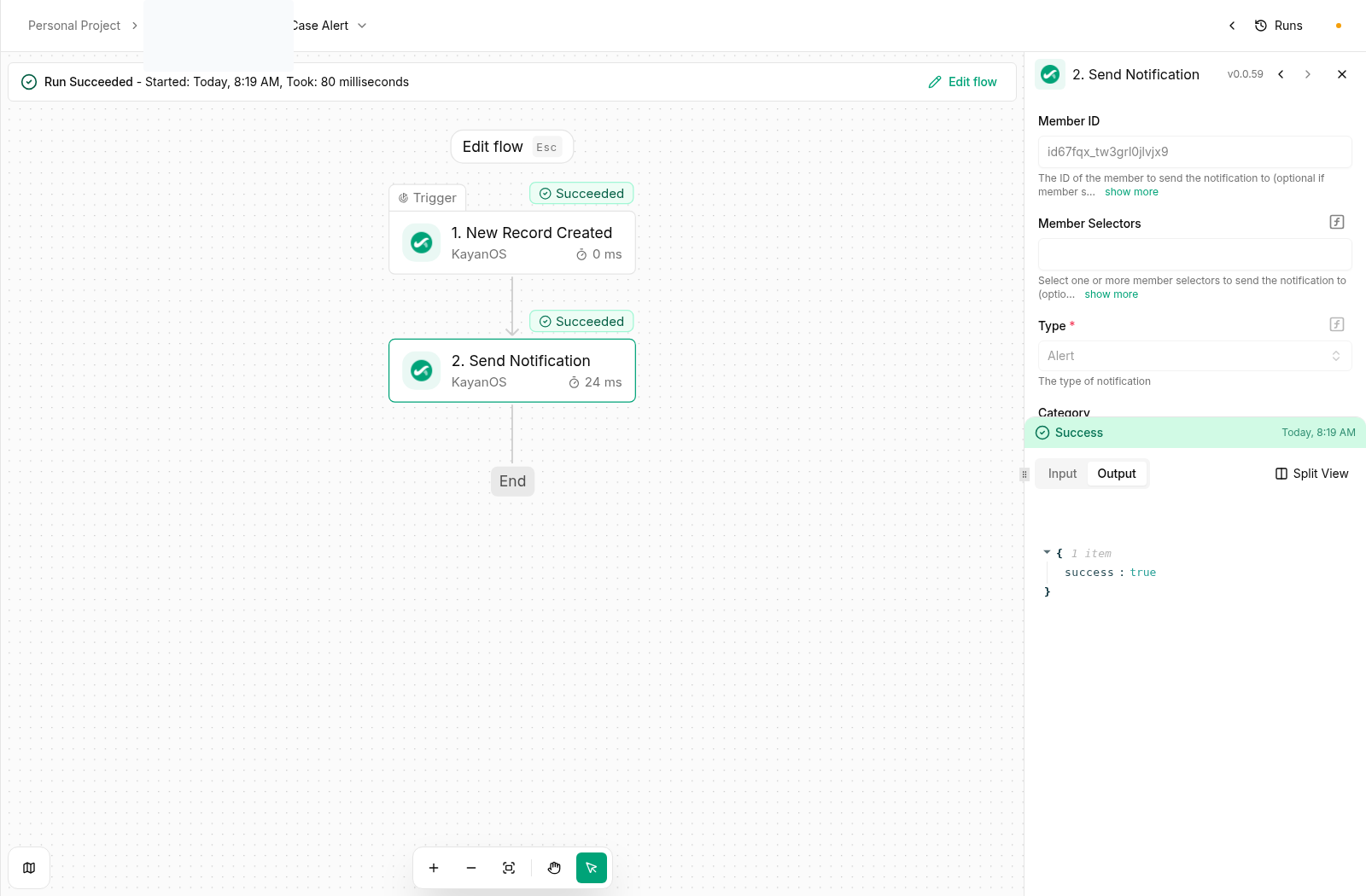
These validation patterns are useful when interpreting an action error:- Send Notification: when you target a specific
Member ID, leaveMember Selectorsempty unless the action is intentionally configured to use selectors. Supplying an unrelated text value in the optional selector control can cause a validation rejection. - Create Record IDs: use the identifier format accepted by the target table. In a verified non-production run, letters, numbers, and underscores were accepted, while a table-prefixed value containing a colon was rejected. Use a neutral ID such as
PERMIT_TEST_001; do not copy an internal-only naming convention into production logic.
A repeatable failure-report template
When a flow fails, capture this before changing anything:Recovery after an unsafe or duplicate run
- Disable the automation if it can repeat the same effect.
- Identify every target created or changed by the run using the source relationship, run output, and timestamp.
- Do not delete records just to hide the problem; follow the approved correction or cancellation procedure.
- Correct the trigger, condition, duplicate guard, or target mapping in the non-production workspace.
- Repeat the positive and negative tests.
- Obtain owner review before re-enabling the flow.
Continue building
- Review KayanOS Automations triggers and actions when correcting a flow.
- Apply the KayanOS Automations recipes in an approved non-production scope.
- Review permissions and availability before widening access.