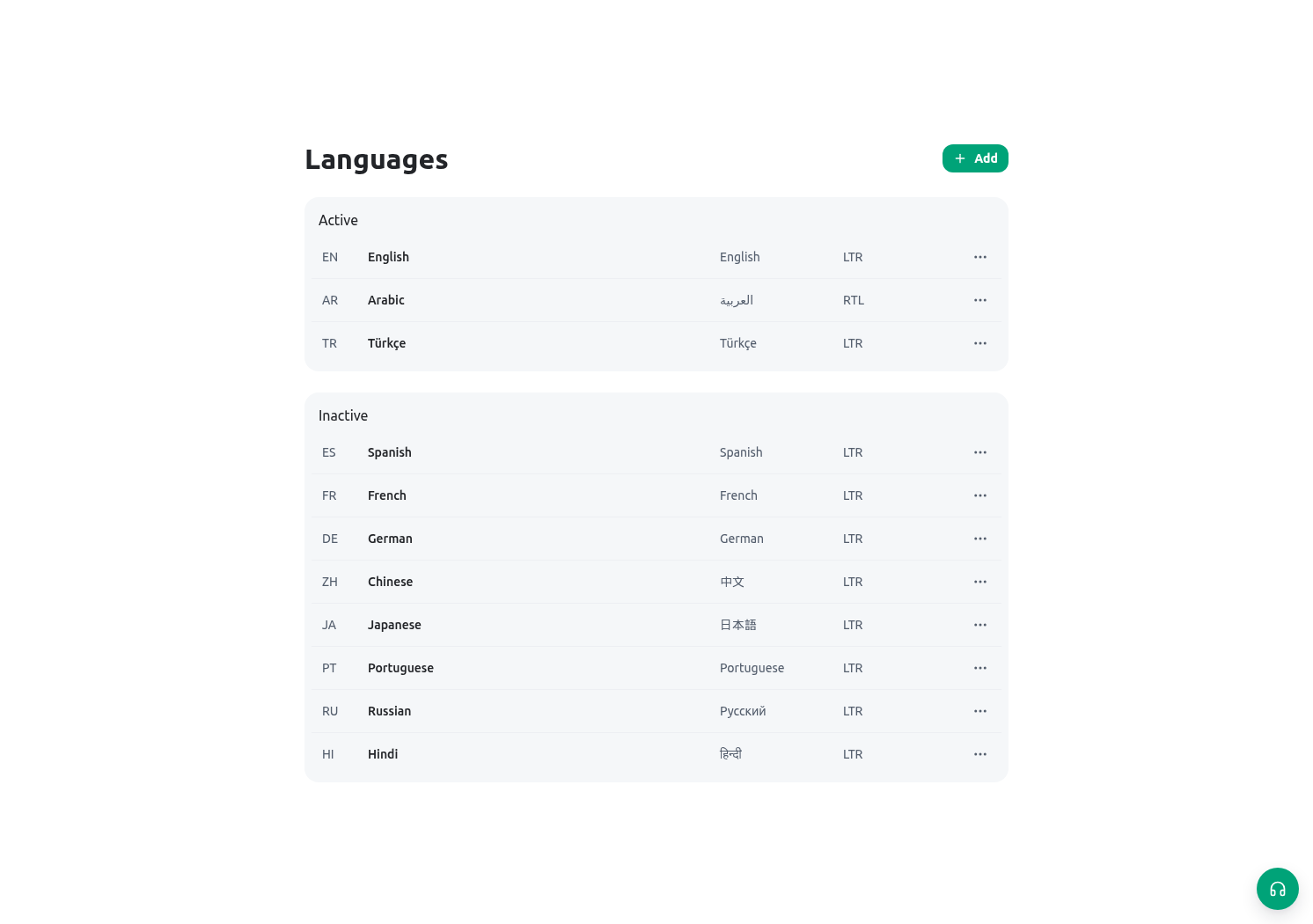
Goal
Activate and maintain usable languages, including Arabic right-to-left quality checks, and configure currency records with correct identifiers and decimals without misrepresenting stored money values.Language record versus currency record
Changing a language is a content-quality decision. Changing a currency is a data-definition decision. Both require a named owner, a review of current use, and a safe test before a wide rollout.
Before activating a language
- Confirm that the language has an approved display title, stable code, and native name.
- Select the correct direction: Arabic is right-to-left; English and Turkish are left-to-right.
- Inventory user-facing custom data: entity titles, field labels, select/status choices, form text, document templates, dashboard labels, portal copy, and notification wording.
- Decide who reviews terminology. For the Citizen Service Request lifecycle, agree that Received, Completeness review, Inspection scheduled, Decision review, and Closed carry the same operational meaning in both languages.
- Check whether the language must be active before it can be selected as an organization default or a member preference.
- Plan an RTL acceptance test on the devices staff actually use. Do not approve Arabic based only on a translation spreadsheet.
Create or update a language record
Open Administration → Languages and currencies → Languages. The language form contains:
Use the following workflow:
- Create or update the language record with the approved code and direction.
- Save it as active only after required terminology exists.
- In Organization settings, select it as a default only when it is active.
- Switch a controlled member between the relevant interface languages. The current user menu offers English, Arabic, and Turkish.
- Open the Directorate’s request, task, form, notification panel, calendar, and a document/template preview. Check direction, truncation, dates, numerals, mixed Arabic/English labels, and serial references such as CSR-2026-00042.
- Record defects against the specific field/template/label owner. Do not change a stable field key merely to change a translated title.
Configure currency records
Open the Currencies area. A currency record has separate display and identifier fields:
Edit the title through the locale-aware title control rather than replacing one language with another. Switching the title editor between English and Arabic retains the other locale, and saving submits the complete multilingual title. Verify both labels anywhere the currency is selectable; a translated display title does not change the stable code or ISO identifier.
For a Directorate fee field, create or verify the approved currency record first. Then configure the monetary field, calculation, form, document, or report that consumes it. Selecting a currency changes how that configured feature identifies/displays money; it does not recalculate existing numbers. If the organization changes a fee policy or currency basis, define the business migration with finance and service owners before touching historical records.
Directorate scenario
The Directorate activates Arabic with RTL direction and confirms English remains active for bilingual staff. The language owner verifies that the Arabic title for Citizen Service Request and each lifecycle status is approved. A Registry Officer switches language, opens a controlled request, and confirms that the serial reference remains left-to-right and unchanged. Separately, the finance owner verifies the active currency record used by the estimated-fee field. The team creates a non-production request with an amount, confirms the configured symbol/decimal display, then compares the stored numeric amount before and after language changes. The number must not be converted merely because the interface language changed.Validation checklist
Use controlled records. Do not use a live citizen payment or a production decision to demonstrate currency settings.
Troubleshooting
Related guides
- Set active defaults in Organization settings.
- Check personal language switching in Profile, language, and signatures.
- Define currency-bearing entity fields in Entity fields and layouts.
- Use reliable amount derivations in Calculated fields.