Goal
Configure each address or communication control for its actual purpose, prove it is ready, and avoid dangerous assumptions such as “the DNS record is verified, so every email or notification will be delivered.”Four systems, four boundaries
Start with the system that has the actual business need. Do not configure a DNS record merely because an organization wants a more polished address.
Organization address
The organization subdomain is maintained in Organization settings. It accepts a lower-case 3–63 character label using letters, digits, and internal hyphens. KayanOS checks availability and redirects the browser to the new origin after a successful save. Before changing it:- Confirm the approved Directorate name and the DNS/deployment owner responsible for the organization address.
- Inventory staff bookmarks, internal references, approved portal links, and integrations that may use the current address.
- Check availability in the form and have a second administrator verify the spelling.
- Save in a controlled window, then open the new address, sign in if required, and confirm the correct organization context.
- Update only the approved references after the new address works. Retain the old address information in the change record according to policy.
Add and verify a short-link domain
Use a custom short-link domain only when the Directorate has a controlled reason to distribute short KayanOS links. The short-link domain screen presents the domain and the DNS records needed for verification.- Obtain written approval for the domain owner, intended link audience, retention period, and incident contact.
- Add the requested domain in Administration → Domains and channels.
- Copy the exact DNS record name, type, and value shown by KayanOS to the organization’s DNS provider. Do not invent a record based on a different provider’s example.
- Wait for DNS propagation, then use the verification/status control in KayanOS. Keep the domain unavailable for operational use until it reports the required verified/active state.
- Create a controlled short link to an approved non-production target. Open it as an authorized test member and an unauthorized test member.
- Confirm that the authorized test reaches the intended target and the unauthorized test remains denied or empty according to access rules.
Verify an email domain without overpromising delivery
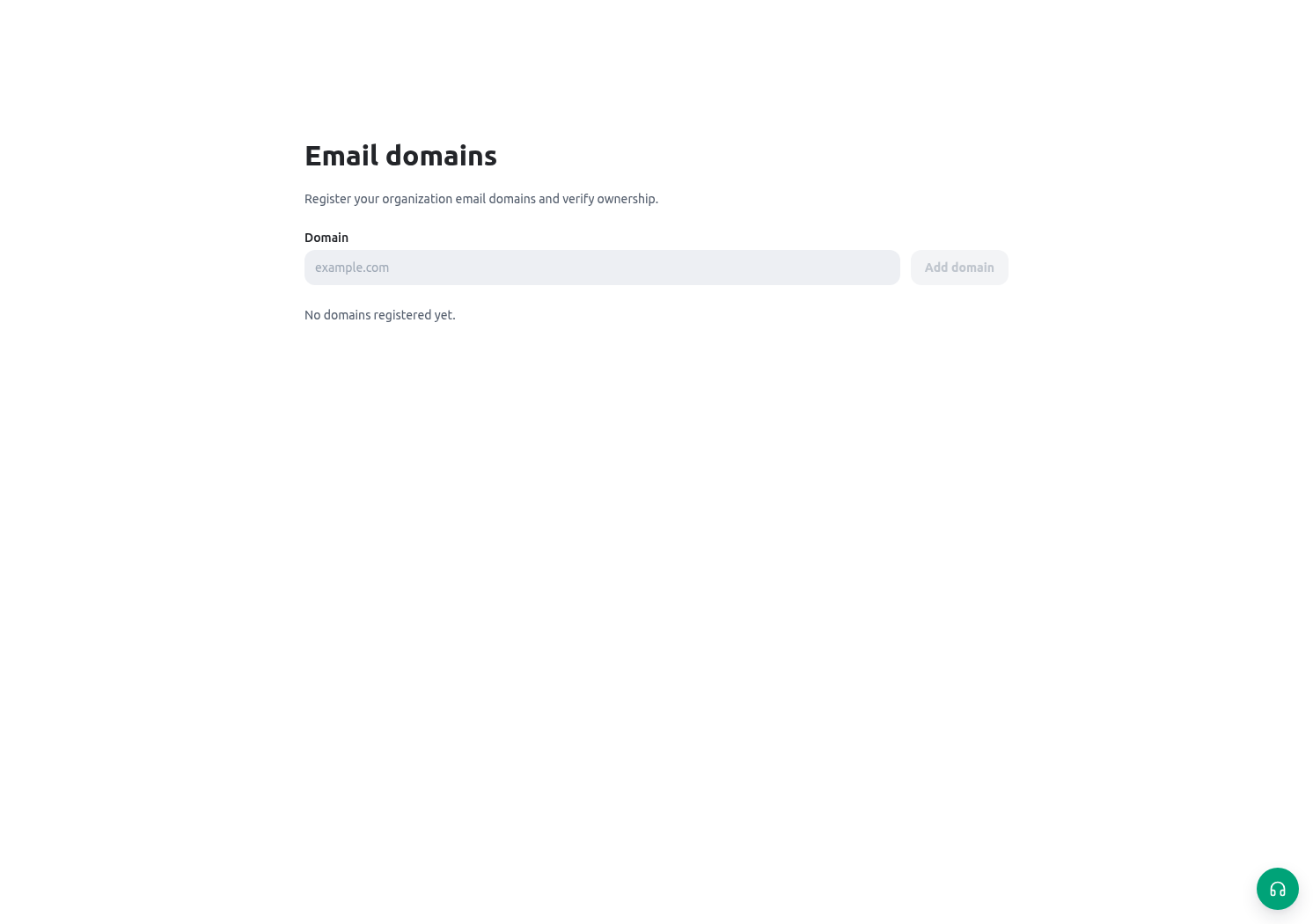
Email-domain administration is separate from the Email workspace and from a member’s email account. Follow the organization’s approved email-domain verification process:- Confirm that the Directorate controls the proposed domain and that an email/domain administrator owns the change.
- Add the domain and publish the exact DNS evidence requested by KayanOS.
- Wait for the verification status. If DNS has not propagated or the record differs, correct the provider record rather than repeatedly changing the KayanOS domain entry.
- Record the verified status, owner, date, and any approved sender policy.
- Separately configure member mailbox accounts and sender identities where required. A verified domain does not create a mailbox or authorize every member to send from it.
- Test a policy-approved internal message only when the mailbox, sender identity, recipients, and delivery process are all ready. Review the send result; a send attempt can fail or be partial.
Manage notification policy and readiness
Notification settings are not DNS settings. Effective delivery follows the notification catalog, organization policy, and member preference, then the readiness of the selected channel. For each notification type, decide:- which event should create the in-app item;
- which members or roles should be eligible to receive it;
- whether an external configured channel is permitted by policy;
- what contact data, consent, device registration, or browser permission is required;
- how quiet hours and priority exceptions should behave; and
- what staff should do if a channel is unavailable.
Directorate scenario
The Directorate adopts an approved organization address, then considers a separate short-link domain for internal service reminders. The administrator verifies the DNS record in a non-production or controlled context and tests a link to a synthetic Citizen Service Request. The authorized Registry Officer reaches the record; a member outside the Service Centre scope does not gain access. Separately, the mail administrator verifies a Directorate domain. The service team then connects only the approved mailbox and checks a draft/send result using an internal recipient. Finally, the notification owner enables an in-app task alert and tests quiet-hour behavior without treating any external alert as a citizen communication.Validation and rollback
For rollback, retain the prior approved organization address/domain status, disable further distribution of affected links, and notify the owner before deleting or redirecting anything. Do not remove evidence of a domain configuration while an incident is under review.
Troubleshooting
Related guides
- Change the organization address safely in Organization settings.
- Connect, draft, and verify mail outcomes in Email.
- Configure everyday alert behavior in Home and notifications.
- Design controlled public intake in Public portal.