

When to use it
Use the salary scale before assigning a salary-related experience level to a position or assignment. It is most useful when the directorate needs a consistent internal matrix for roles such as Intake Adviser, Regional Supervisor, and Digital Service Coordinator. Use an assignment’s salary and currency fields only after the organization’s authorized reviewers have confirmed the appropriate values. The matrix can support that review, but it does not determine an employee’s entitlement.Configuration
Keep experience levels in the intended order. A level’s order, not the wording in its name, determines where it appears in the matrix.
How the displayed matrix is calculated
For a fixed-amount raise, each completed step adds the configured amount to the seniority level’s minimum salary. For a percentage raise, the calculation applies the configured percentage over the ordered steps. When the group uses a fixed percentage, the source applies that percentage across the number of completed steps; when step amounts vary, the steps compound in sequence. The first experience level uses the base minimum salary. The matrix is a calculation aid for the configured data, not a guarantee that the displayed figure is an approved payable amount.Workflow
- Create or review seniority levels, including their rank and minimum/maximum values.
- Create an experience-level group and select its currency, fixed/percentage raise mode, and amount.
- Create ordered experience levels in that group. Write descriptions that explain the operational meaning of each step.
- Link the relevant seniority level to a position.
- On the assignment, select the approved experience level and review the suggested/current salary and currency.
- Have the authorized compensation or payroll reviewer confirm the assignment values before using them in an operational payroll process.
Worked example
The Directorate sets an internal training matrix for the Intake Adviser position.
These figures demonstrate the matrix mechanics only. They are not Syrian-pound recommendations, a wage scale, a tax base, or a payment amount.
For Rania’s Intake Adviser assignment, the manager selects the position’s seniority level and the appropriate experience level. The organization then reviews the assignment’s salary and currency separately. A change to the experience level should be traceable and reviewed rather than treated as an automatic entitlement.
Testing
Use a temporary matrix with neutral values and no live payroll cycle.- Create one temporary seniority level with a known minimum.
- Create one experience group with two or three ordered levels.
- Test a fixed increase and a percentage increase separately.
- Compare the displayed matrix with the simple calculations in the worked example.
- Link the temporary seniority level to a temporary position and select an experience level in a temporary assignment.
- Remove or retire the temporary records after validation.
Troubleshooting
Permissions and data-quality limits
Salary-scale, seniority, experience-level, position, and assignment records have separate capabilities and may have scoped editing. Restrict compensation visibility to people who need it for their assigned work. The fields represent organization-configured operational data. They do not calculate statutory contributions, deductions, tax, benefits, overtime, leave payments, or final payroll. Verify every actual payroll amount in the relevant salary-slip and payroll review process.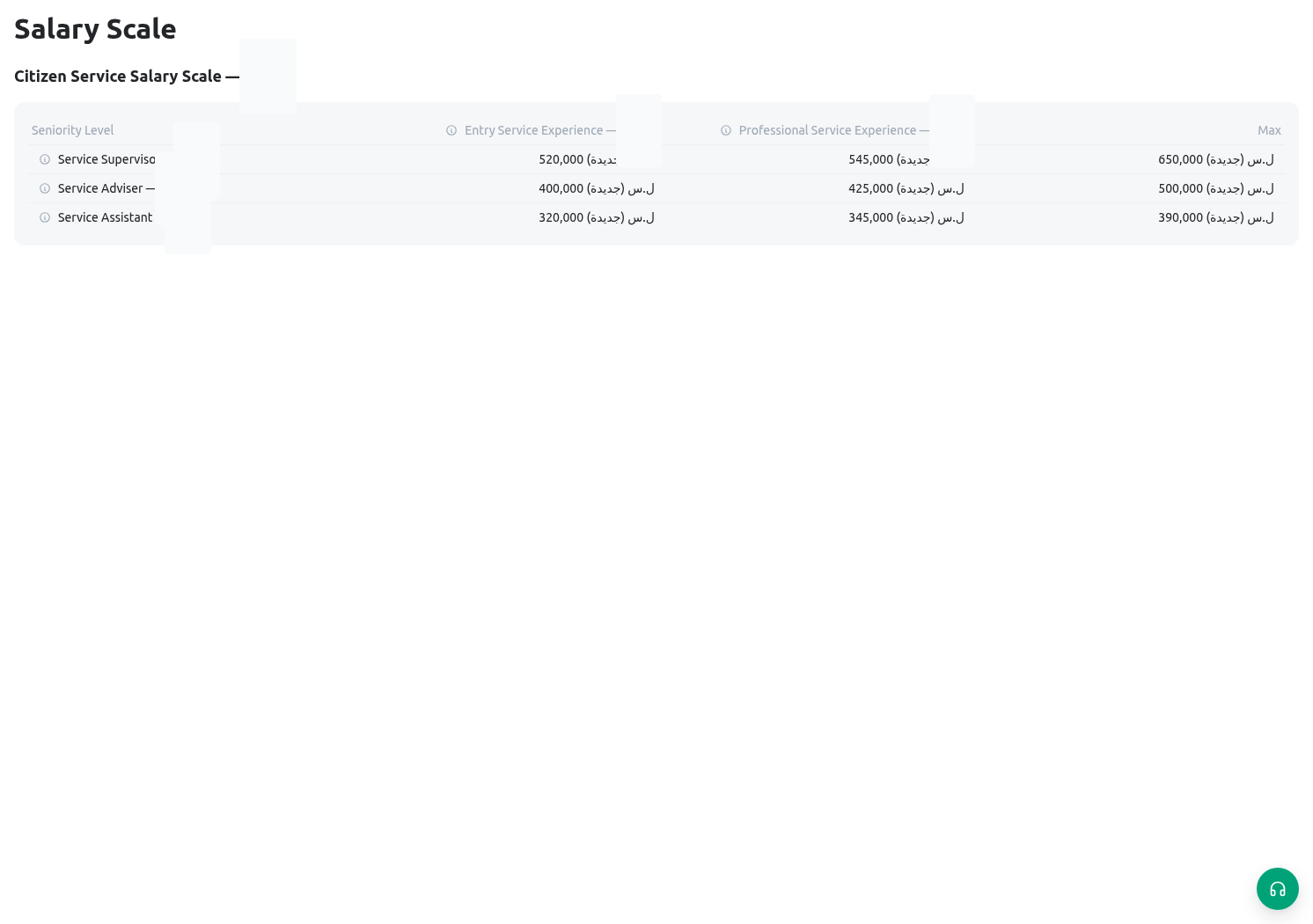
Related guides
- Link levels to staffed roles in Groups, positions, and assignments.
- Review payroll records in Payroll and salary slips.
- Record separate adjustments in Bonuses and deductions.