CSR-2026-00042, its related inspection, scheduled event, evidence files, and decision. Use the example to model responsibility; do not copy access grants without checking your organization’s policies and hierarchy.
Goal
Create a role model that answers four questions for every person: what can they see, what can they do, where can they do it, and how will you prove that the boundary works?The access model
Think about each grant as a three-part statement:Resource + verb + scopeFor example, “update inspections in the North Service Center” is more precise than “make this person an inspector.” The resource is
inspections; the action is update; the scope is the approved service-center or hierarchy token that covers the inspection.
KayanOS checks these separately. A member may be allowed to list a queue but not open every record; open a file but not edit it; edit a record but not share it; or see an event but not delete it. Do not tell staff that a sidebar item guarantees a save, share, or delete action.
When to use roles, assignments, and scopes
Use a role when several people need the same reusable responsibility. Use a scoped assignment when that responsibility must be limited to a location, organizational branch, form, or other approved boundary. Use a direct exception only when the policy truly requires it, and document why it exists. Where the chosen hierarchy supports it, KayanOS can express an assignment at the exact target, its ancestors, or its descendants. Select the narrowest interpretation that matches the policy:
Do not use hierarchy expansion as a shortcut for a missing business rule. First confirm the service boundary, then select the scope behavior that implements it.
A practical Citizen Services role map
Start with a small set of operational responsibilities. Your exact entity names and scopes will differ, but the accountability pattern should remain clear.
The role table is a design starting point, not a default permission set. Every “minimum useful access” entry must be mapped to real resources, verbs, and scopes in your organization.
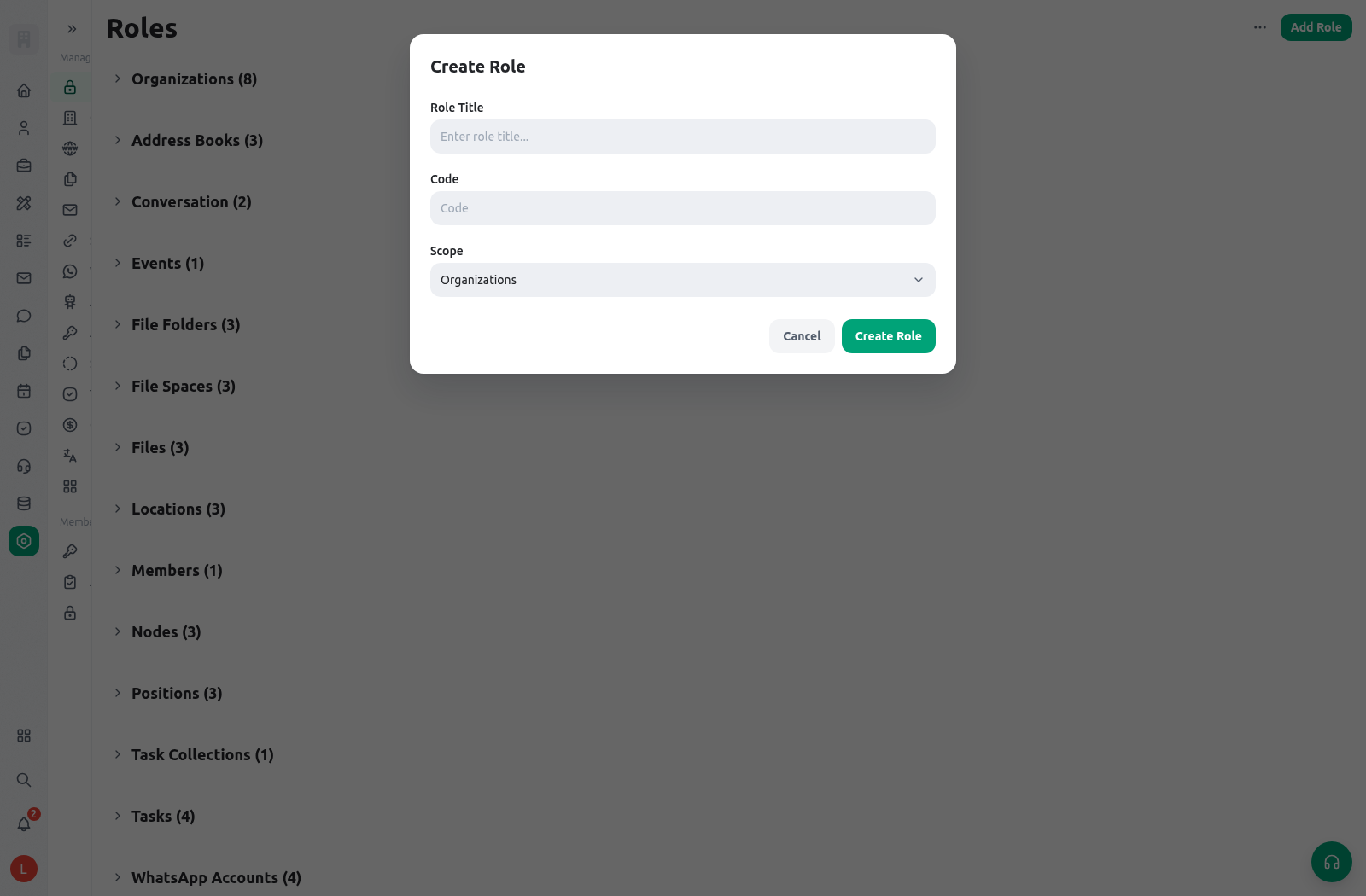
Configure a role deliberately
- Map the handoff before opening settings. Write the service status, responsible role, next action, and evidence required for each stage of the request.
- Choose the role scope. Decide whether the role applies across the organization, to a selected hierarchy target, or to an eligible form/resource scope. Do not choose organization-wide scope only because it is quicker.
- Select resources and verbs. Add only the records and forms needed for the role’s own work. Keep list/open/create/update/delete/share decisions separate.
- Assign the role to the right recipients. Use the approved member, position, group, or assignment approach. Check that an inactive or transferred staff member does not retain access through an obsolete assignment.
- Save one controlled change at a time. Record the reason, policy owner, resource, verbs, scope, and review date for meaningful access changes.
- Test with a non-owner member. A role designer’s own broad access can hide a mistake. Test with a member who has only the role under review.
- Review after organizational changes. Re-test when a service center moves, a position changes, a form is published, or a new related entity becomes part of the workflow.
Run an access test matrix
Use an approved non-production request and record both positive and negative results. The goal is not only to prove that the intended action works, but also that unrelated data remains unavailable.
Test navigation as well as actions. A member might not see a dynamic application entry if they lack list/create/initiate access, or might reach a link but receive a permission denial when opening the target record. Both results matter.
Expected result
Every service participant has a short, explainable role. A service owner can point to a request and say why a member can list it, why another member can update it, and why a third member cannot download or delete its evidence. The organization does not rely on shared administrator accounts or broad temporary grants to keep work moving.Safe testing
Use controlled data and test members. Do not remove a real staff member’s production access solely to see a denial. Instead, create a temporary test assignment in the approved non-production context, run the matrix, save the results, and remove the temporary assignment. Never put real citizen data in a role-testing record.Troubleshooting
Related guides
- See how availability affects navigation in Navigate KayanOS.
- Apply the model to the complete service path in Explore an example workspace.
- Read the platform-wide reference in Permissions and availability.
- Design fields and record visibility in Entity fields and layouts.
- Learn controlled file access in Library.