

What do you want to do?
Get through today's work
Assign a task, follow its progress, and record the outcome. Example: replace a reception printer cartridge.
Build a form
Collect answers and test a saved response. Example: request equipment, leave, or a site visit.
Manage records
Define the fields, statuses, and access for requests, suppliers, inspections, or projects.
Set up your team
Invite colleagues and check their roles, assignments, and access.
Follow a complete example
Work through a request from intake to review, evidence, and closure.
Look up the full reference
Find expression syntax, helper signatures, API examples, and permission details in the Reference tab.
How to use these guides
Start with the short steps at the top of a guide. Open See the screen for the product view, then expand the section you need for settings, examples, and troubleshooting. Expand all details lets you read, search, or print the complete guide. Links to a specific section open its details automatically.Available controls depend on your role and record access. If a control is missing, check Permissions and availability.
See the screen
See the screen
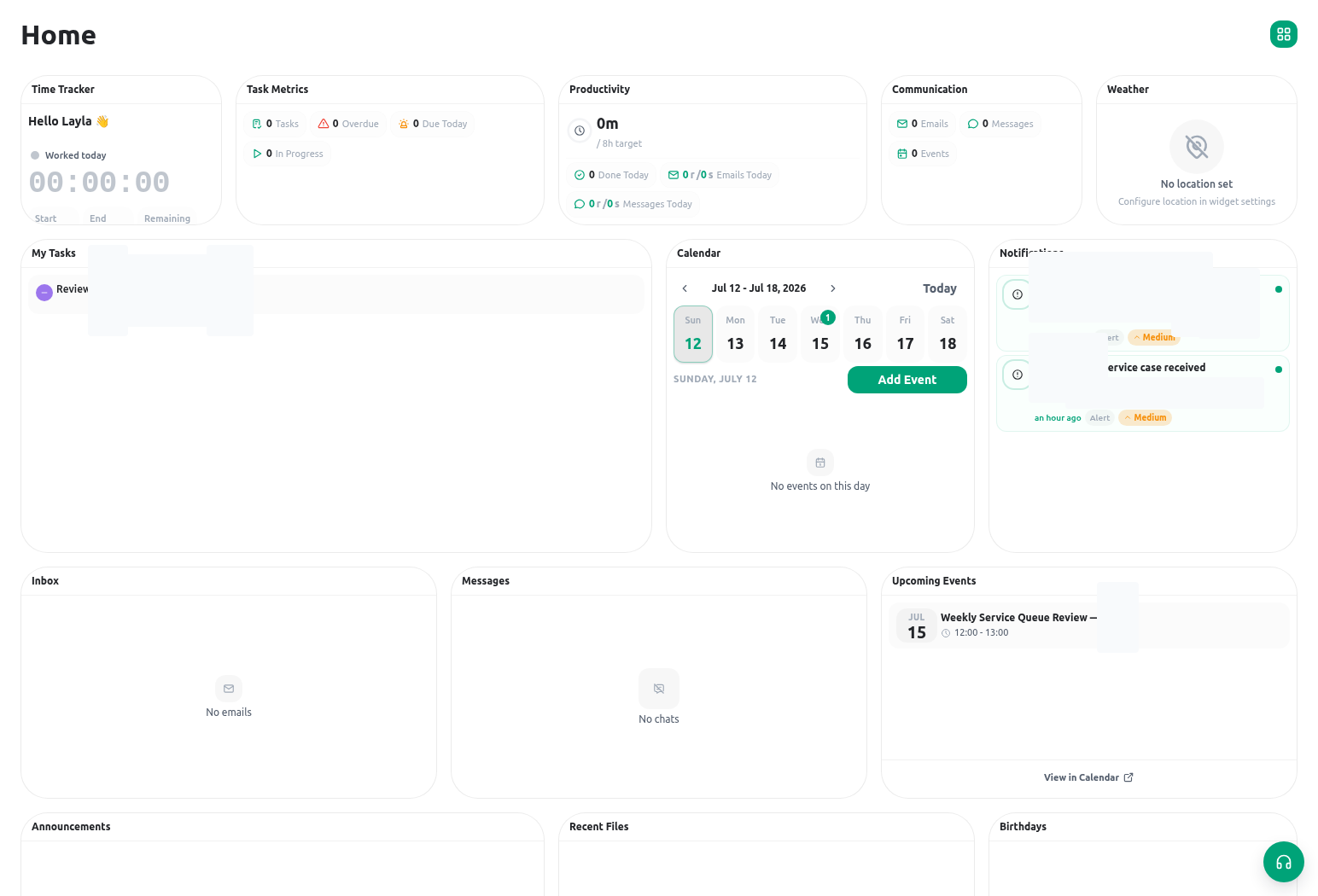
Steps, examples, and reference
Open the section you need. Each panel keeps the full instructions, examples, and limits. You can also expand all sections to read or search the whole guide.Background and example context
Background and example context
KayanOS is a governed workspace for running a service, not just collecting a form. It brings together the service record, the people responsible for it, the task that must happen next, the evidence that supports a decision, and the access rules that keep each part visible only to the right people.This guide uses a Citizen Services Directorate training scenario. A citizen request is registered as
CSR-2026-00042, reviewed by the service team, scheduled for an inspection when needed, supported by controlled evidence, and closed with a recorded outcome. Use the scenario to understand the design pattern; replace its fields, roles, and policy rules with your organization’s approved design.Goal
Goal
Goal
By the end of this guide, you should be able to describe one service from intake to closure and identify:- the record that remains the source of truth;
- the people who can view, create, update, decide, or share it;
- the task, event, file, and communication that support the record without duplicating it; and
- the safe order for building and testing the service.
What belongs where
What belongs where
What belongs where
The names in the navigation are not interchangeable. Use the smallest object that carries the information and responsibility you need.For example, the request
CSR-2026-00042 stores the applicant’s service data, current status, owner, serial reference, and final outcome. Its inspection is a related record because it has its own date, place, inspector, findings, and files. A task tells a Registry Officer to check completeness. A calendar event reserves the inspection time. The report is stored in the Library or attached through the approved record field. A notification takes the responsible person back to the relevant task or record.Follow one request from intake to closure
Follow one request from intake to closure
Follow one request from intake to closure
The following sequence is deliberately small. Build and test it before introducing more forms, dashboards, document output, or automations.- Register the request. A citizen or staff member submits an intake form. KayanOS creates or updates the service record and gives it the agreed human reference, such as
CSR-2026-00042. - Check completeness. A Registry Officer opens the record, verifies category, contact path, location, required evidence, and any validation messages. The officer records the outcome on the record and completes or returns the related task.
- Assign accountable work. The Service Manager becomes the record owner or assigns an owner according to the service policy. A task can be assigned to the person doing the next action; contributors and informed members are added only when they need a real role in the work.
- Schedule service activity. If a field visit is required, schedule an event with internal attendees, the correct timezone, location or meeting room, agenda, and expected next steps. A calendar event coordinates time; it does not replace the inspection record.
- Capture findings and evidence. The Field Inspector creates or updates the related inspection record, uploads evidence to a controlled location, and adds a concise operational note. Keep the final factual finding on the record rather than only in chat or email.
- Review and decide. The authorized reviewer checks the record, evidence, and applicable policy. If a formal signature or controlled form decision is required, use the configured form/signature path; do not treat a task checkbox as formal approval evidence.
- Communicate carefully. An authorized mailbox user prepares a message only after verifying the account, sender identity, recipient, serial reference, language, and attachments. A saved draft is not delivery; a send result can still report a failure or partial delivery.
- Close and measure. Update the approved status, record the outcome and next obligation, complete remaining tasks, and review the workload in a dashboard. The record, not a dashboard total, remains the source of truth for the individual request.
Access is part of the service design
Access is part of the service design
Access is part of the service design
A page being visible does not mean every action on it is available. KayanOS evaluates access through assigned verbs and scopes. In practical terms, ask four questions before publishing a service:- Which resource is protected? For example, service requests, inspections, events, files, forms, or roles.
- Which action is needed? Listing a queue, opening a record, creating a task, updating a finding, deleting an event, or sharing a file are different actions.
- Which scope applies? A member may work only in their service center, node, form, or another approved scope.
- How will you test it? Test with an authorized non-owner member as well as a manager or administrator. Confirm both the allowed action and the action that must remain denied.
A reliable first-week sequence
A reliable first-week sequence
A reliable first-week sequence
Use this sequence for a first service release. Each step has a concrete output that the service owner can review.- Write the service outcome, requester, accountable team, and completion rule in plain language.
- Create the primary entity and only the fields needed to receive, assign, decide, communicate, and report on that outcome.
- Define a small status lifecycle. For every status, name the accountable role, required evidence, permitted next status, and citizen-facing meaning if applicable.
- Design roles and scopes before publishing a form. Test a Registry Officer, Service Manager, Field Inspector, Records Officer, and Administrator against the actions each needs.
- Build the intake form and one internal entry path. Submit a controlled non-production request and follow it through each handoff.
- Add tasks, calendar activity, Library evidence, notifications, documents, or automations only when the record path and access test are understood.
- Capture the test result: what was created, who could see it, which status changed, what notification was received, and what remains intentionally unavailable.
Expected result
Expected result
Expected result
You have a small, reviewable service path in which every person can answer: “What is the request? Who owns the next action? What evidence supports the current status? What happens next?” If the answer requires searching across an unrelated spreadsheet, chat thread, and inbox, refine the record model before scaling the service.Safe testing
Safe testing
Safe testing
Use an organization-approved non-production workspace or record. Use synthetic citizen details and policy-approved internal recipients. Do not use a training record to issue a real decision, send a citizen-facing message, publish a public form, or broaden production access. After testing, record the observed result and remove temporary permissions or data according to your organization’s retention process.Common mistakes
Common mistakes
Common mistakes
Related guides
- Learn the vocabulary behind this model in Core concepts.
- Build least-privilege access in Roles and access.
- Follow the full service scenario in Explore an example workspace.
- Design the record before implementation in Plan an app before building.
- Configure the request reference in Serial IDs and derived values in Calculated fields.